Browse Our Knowledge Base
Finding Computer Name on Windows
Method 1 (SIU Device)
The computer name should be listed on the bottom right of your desktop screen.

Method 2 (Windows 11)
Click on the Search icon within your taskbar 
Type Settings in the search bar.
Open Settings.
Select System settings if it is not selected automatically.
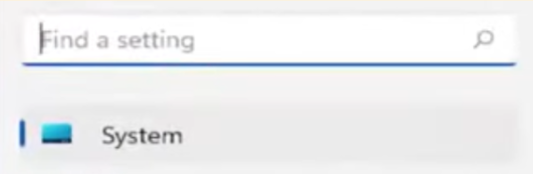
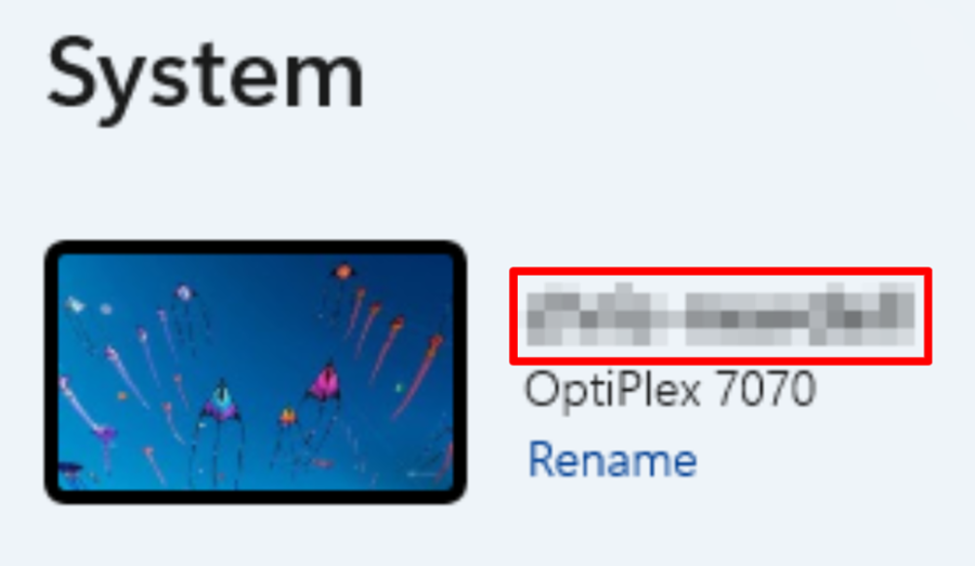
The computer name will be listed within the System window.
Method 3
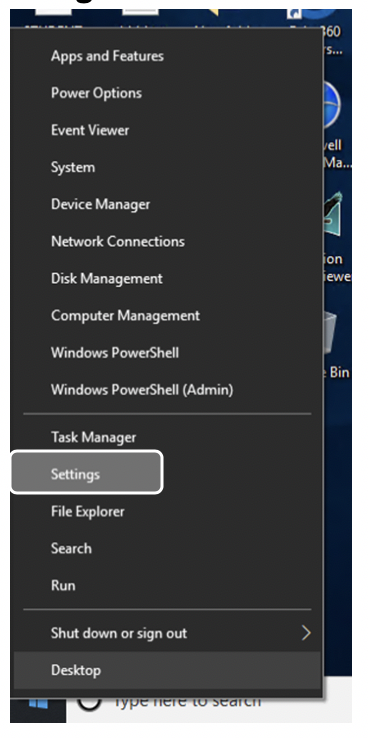
Right click on the Windows logo located on the bottom left of your Windows screen and select Settings.
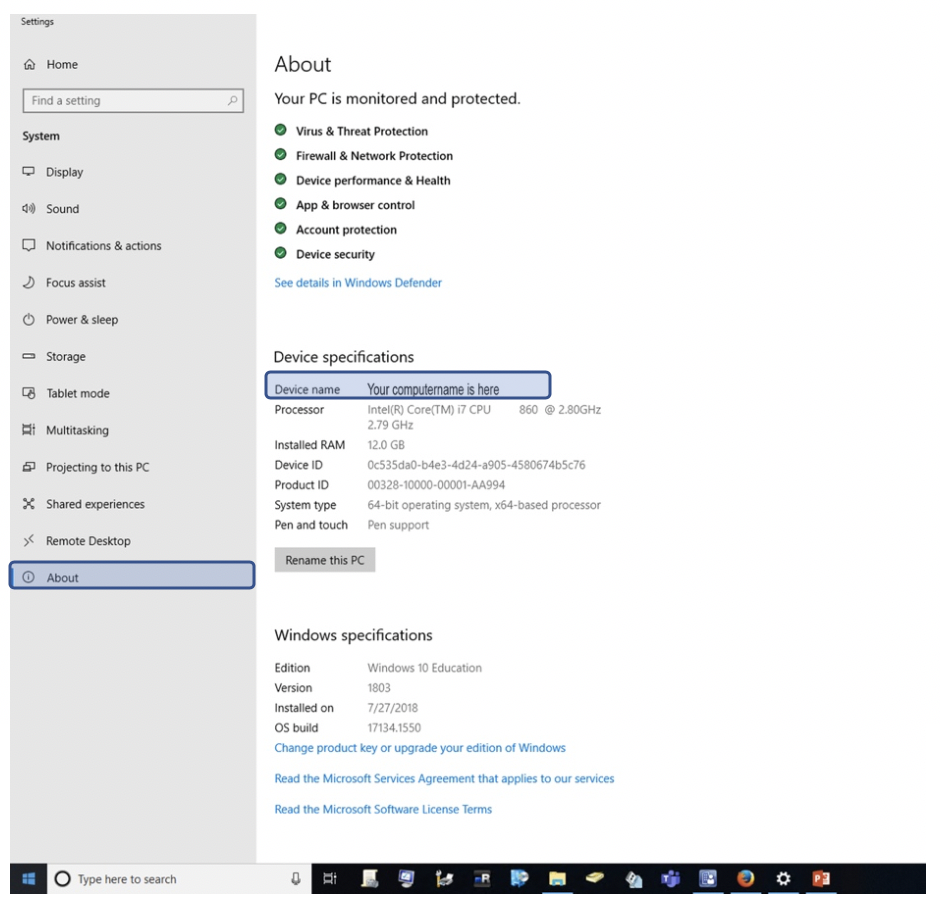
On the Windows Settings window, select System, then select About. Your computer name is also called Device Name.
Method 4
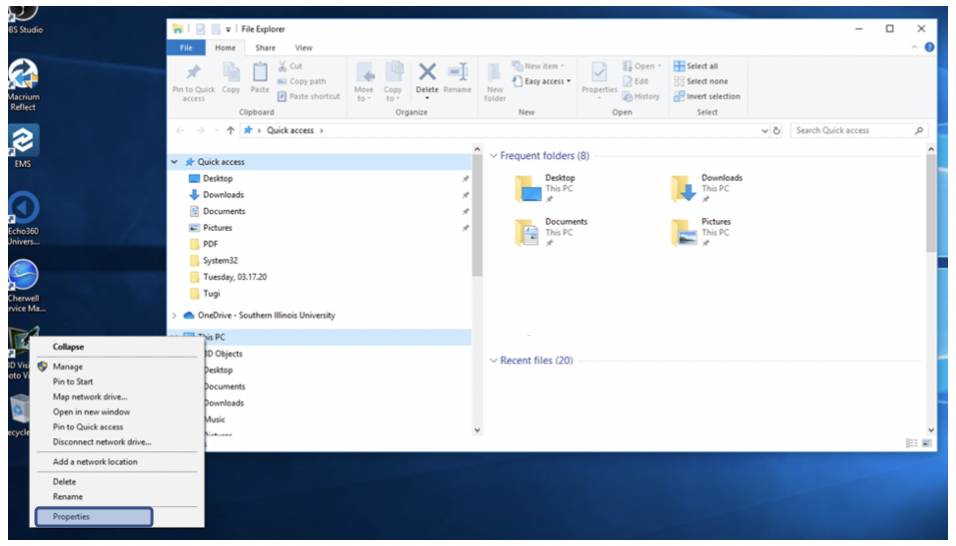
Right click on the bottom left of your screen and choose File Explorer. That will bring your File Explorer Window. Find This PC and right click on it. Choose “Properties” on drop down menu.
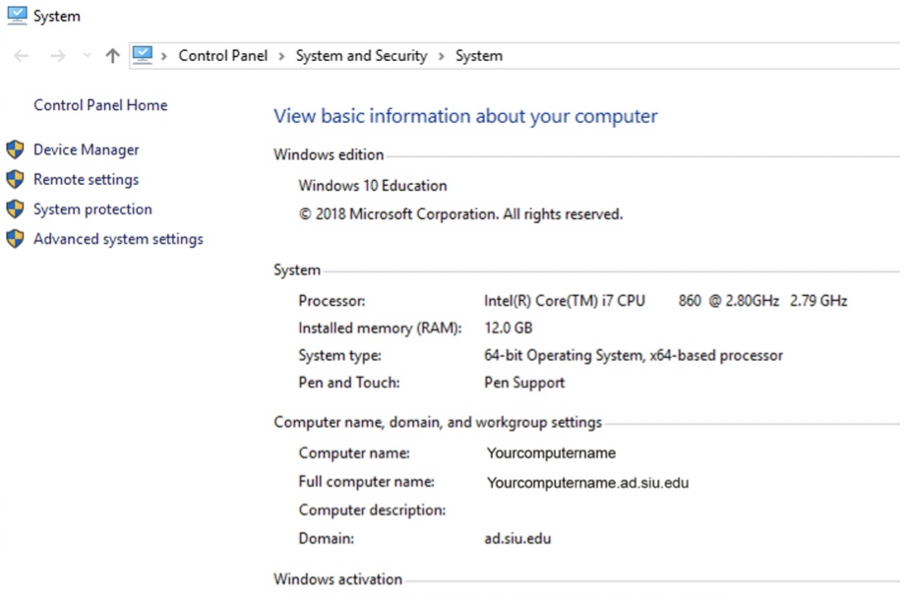
Find your computer name under Computer name, domain, and workgroup settings.
Method 5
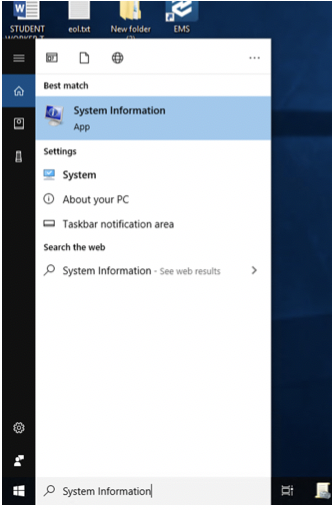
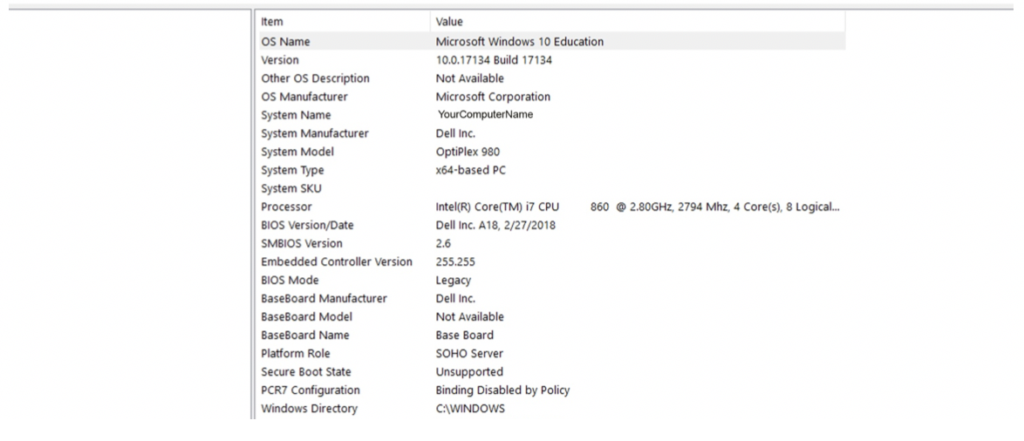
Type “System Information” on the Search field. On the System Information Window, System Name is the same as your computer name.