
Browse Our Knowledge Base
Install EndNote on Your Personal Computer
Overview
Install EndNote on your personal computer. Note from Morris Library: “EndNote users should regularly back up their data to avoid any data loss in case the license cannot be renewed beyond February 2027 due to budgetary or licensing issues.”
Mac
| These instructions apply to Mac computers. | |
| Uninstall EndNote: * Uninstall all previous EndNote installations, then restart your computer. | |
| Download EndNote: * EndNote_2025_MAC.dmg | |
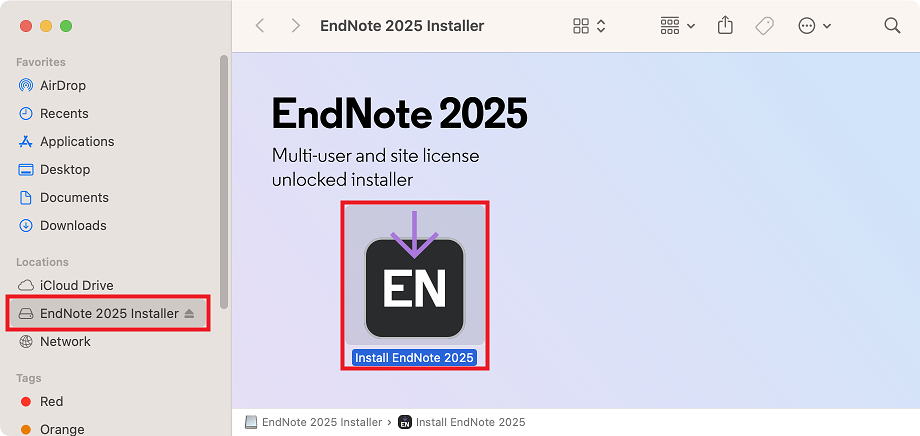 | Install EndNote: * Open the EndNote_2025_MAC.dmg disk image. * Open the EndNote 2025 Installer drive. * Open the Install EndNote 2025 installer. |
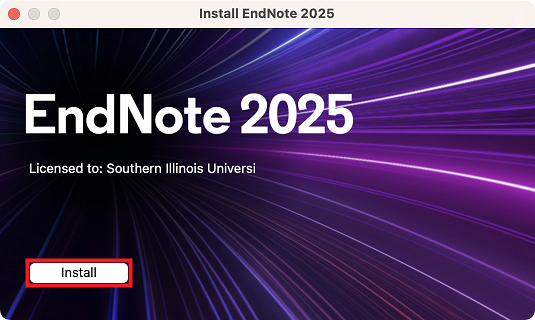 | EndNote 2025 Volume License Version: * Click Install. |
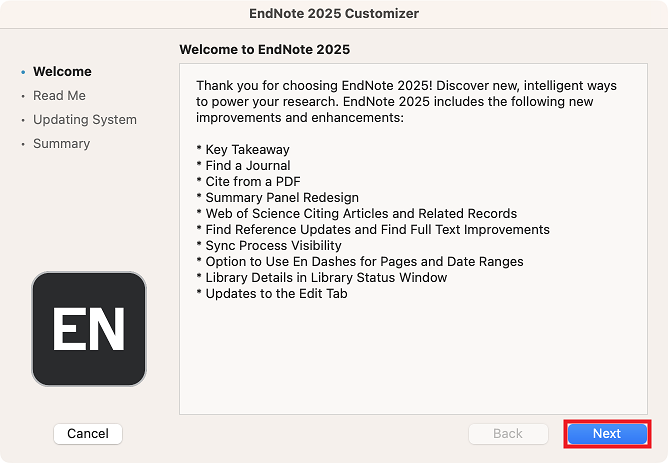 | Welcome to EndNote 2025: * Click Next. |
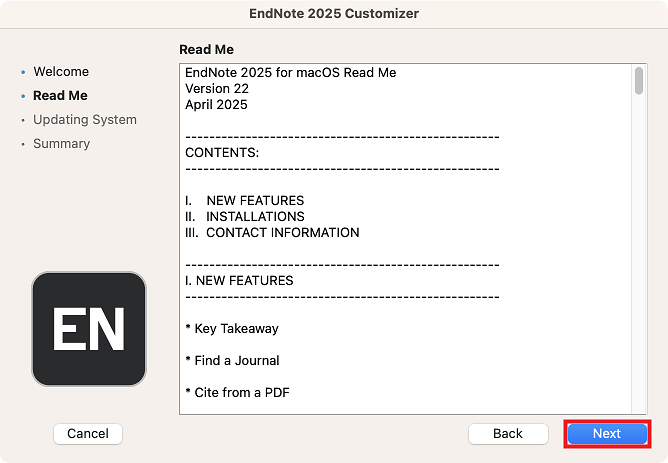 | Read Me: * Click Next. |
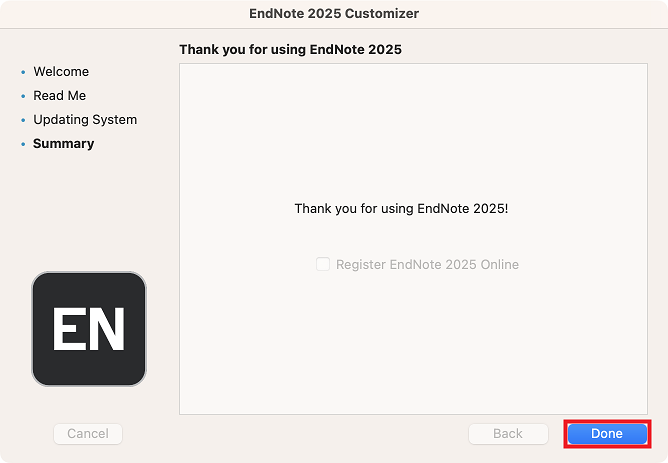 | Thank you for using EndNote 2025: * Click Done. |
| Cite While You Write (CWYW) for Mac: “Some customers have reported an error message stating that Word can’t load an add-in. The workaround for this is to set Word to open with Rosetta.” |
Windows
| These instructions apply to Windows computers. | |
| Uninstall EndNote: * Uninstall all previous EndNote installations, then restart your computer. | |
| Download EndNote: * EndNote_2025_WIN.iso | |
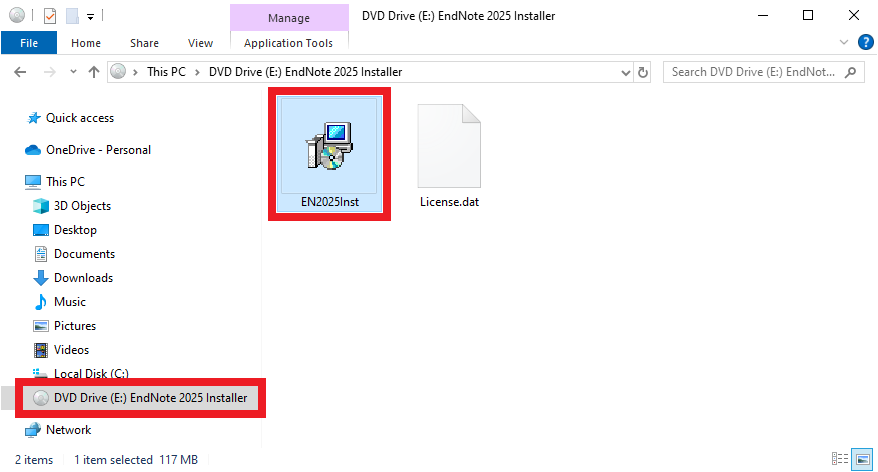 | Install EndNote: * Open the EndNote_2025_WIN.iso disk image. * Open the EndNote 2025 Installer drive. * Open the EN2025Inst.msi installer. |
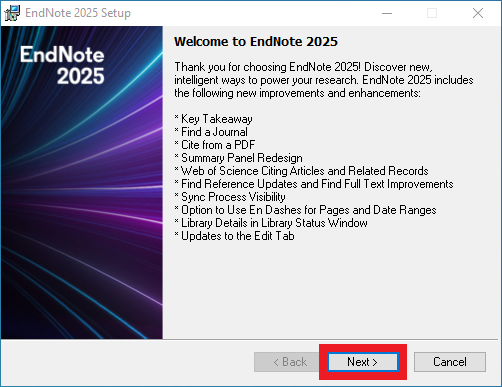 | Welcome to EndNote 2025: * Click Next. |
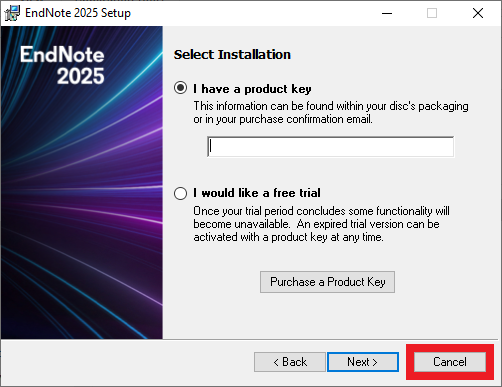 | Select Installation: If the Select Installation window appears: * Click Cancel, then close and re-open the installer correctly. * Do not copy the installer files from the installer drive. * Do not open the installer disk image with a third-party archive utility like 7-Zip, WinRAR, or WinZip. |
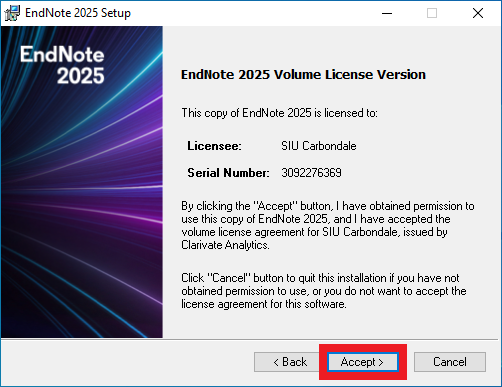 | EndNote 2025 Volume License Version: * Click Accept. |
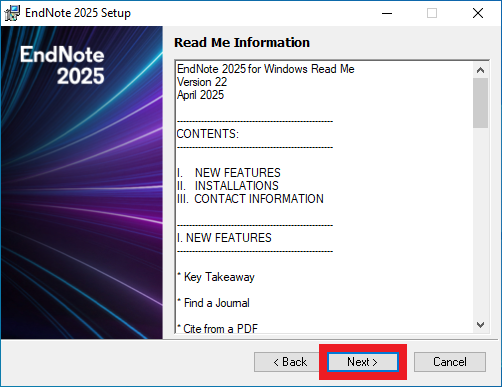 | Read Me Information: * Click Next. |
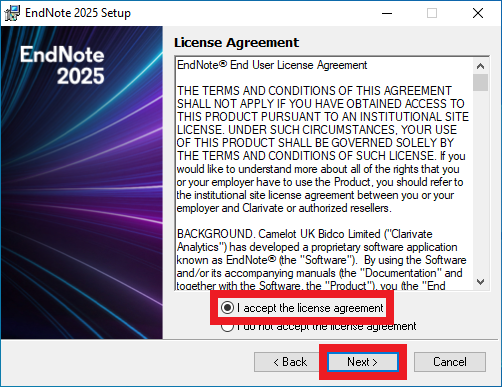 | License Agreement: * Select I accept the license agreement. * Click Next. |
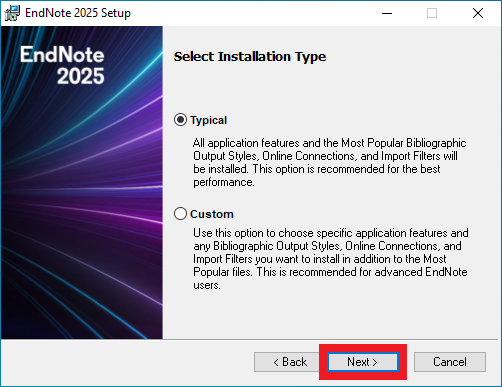 | Select Installation Type: * Click Next. |
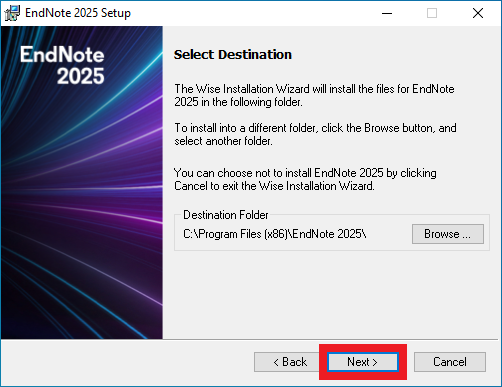 | Select Destination: * Click Next. |
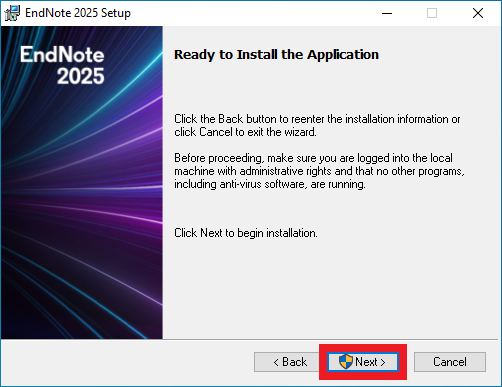 | Ready to Install the Application: * Click Next. |
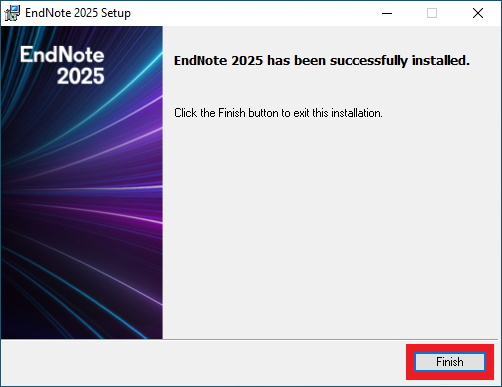 | EndNote 2025 has been successfully installed: * Click Finish. |
Frequently Asked Questions (FAQ)
What is our EndNote license cycle?
Our EndNote license cycle is 2/12/2024 thru 2/11/2027. Licenses must be renewed every 3 years. Note from Morris Library: “EndNote users should regularly back up their data to avoid any data loss in case the license cannot be renewed beyond February 2027 due to budgetary or licensing issues.”