
Browse Our Knowledge Base
Sign in ArcGIS Drone2Map
Overview
Sign in ArcGIS Drone2Map on your University-owned and personal computers. Note well: Academic users and non-academic users have separate ArcGIS Online organizations.
Academic Use
| These instructions apply to academic use: * Academic Research * Academic Teaching and Learning | |
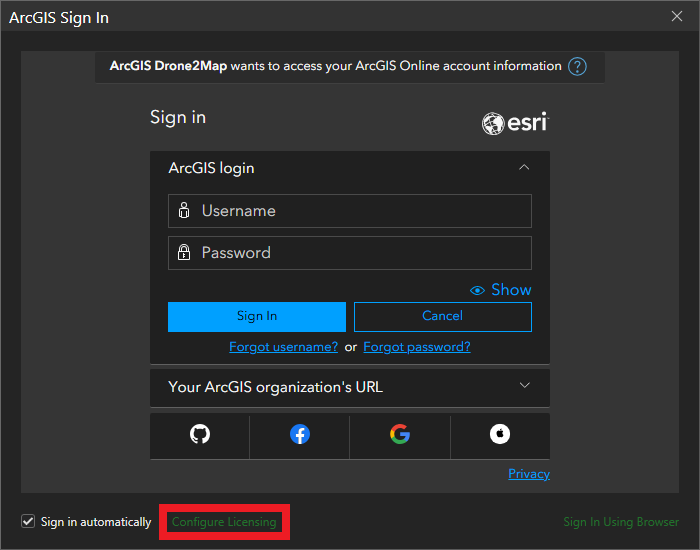 | Open ArcGIS Drone2Map: * Open the ArcGIS Drone2Map app. * Click Configure Licensing. |
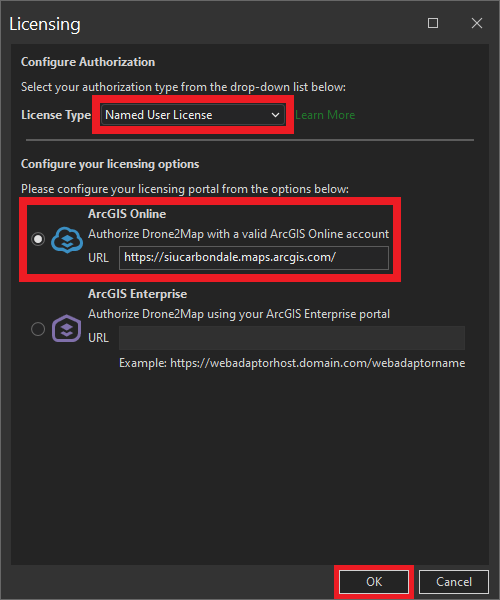 | Configure Licensing: * Select License Type: Named User License * Select License Portal: ArcGIS Online * Enter URL: https://siucarbondale.maps.arcgis.com/ * Click OK. |
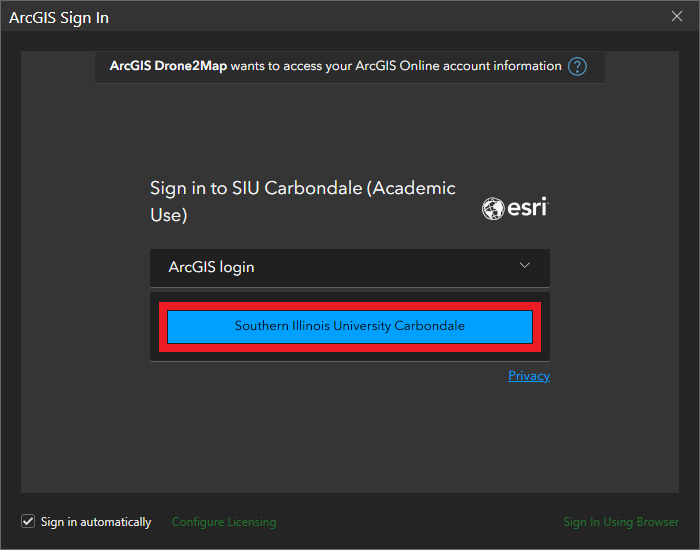 | Sign in ArcGIS Drone2Map: * Click Southern Illinois University Carbondale. * Sign in with your @siu.edu email address and password. |
Non-Academic Use
| These instructions apply to non-academic use: * Academic Administration * Administrative Use * Auxiliary Use * Institutional Research | |
| Open ArcGIS Drone2Map: * Open the ArcGIS Drone2Map app. * Click Configure Licensing. |
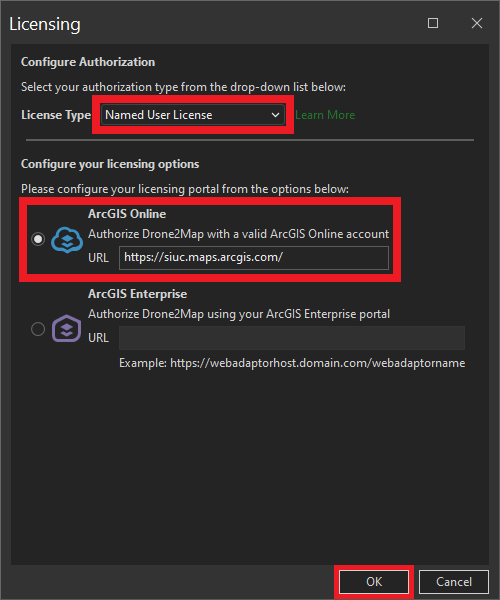 | Configure Licensing: * Select License Type: Named User License * Select License Portal: ArcGIS Online * Enter URL: https://siuc.maps.arcgis.com/ * Click OK. |
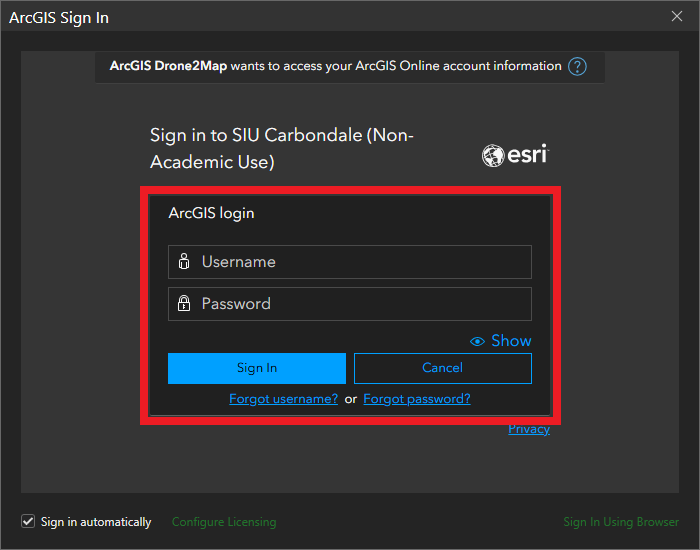 | Sign in ArcGIS Drone2Map: * Sign in with your assigned ArcGIS username and password. |