Browse Our Knowledge Base

Toggle Call Queues in Microsoft Teams

You are here:

How to turn off call queues in Microsoft Teams.

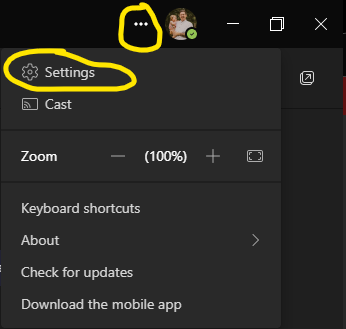
Navigate to Settings by clicking the “…” in the top right of your teams application.
A screenshot of a computer

Description automatically generated

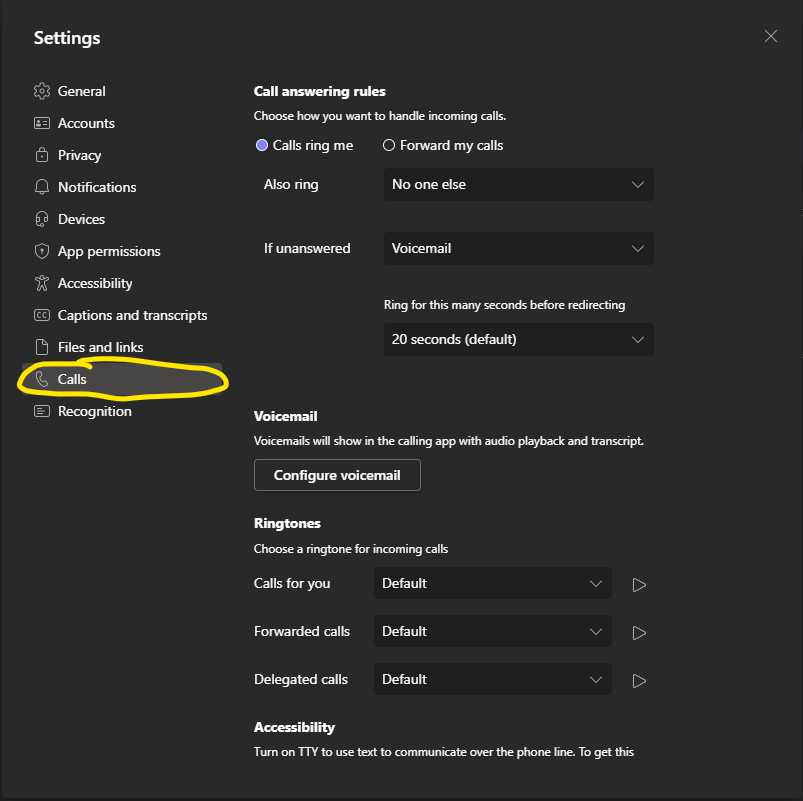
Navigate to the “Calls Tab”

A screenshot of a computer

Description automatically generated

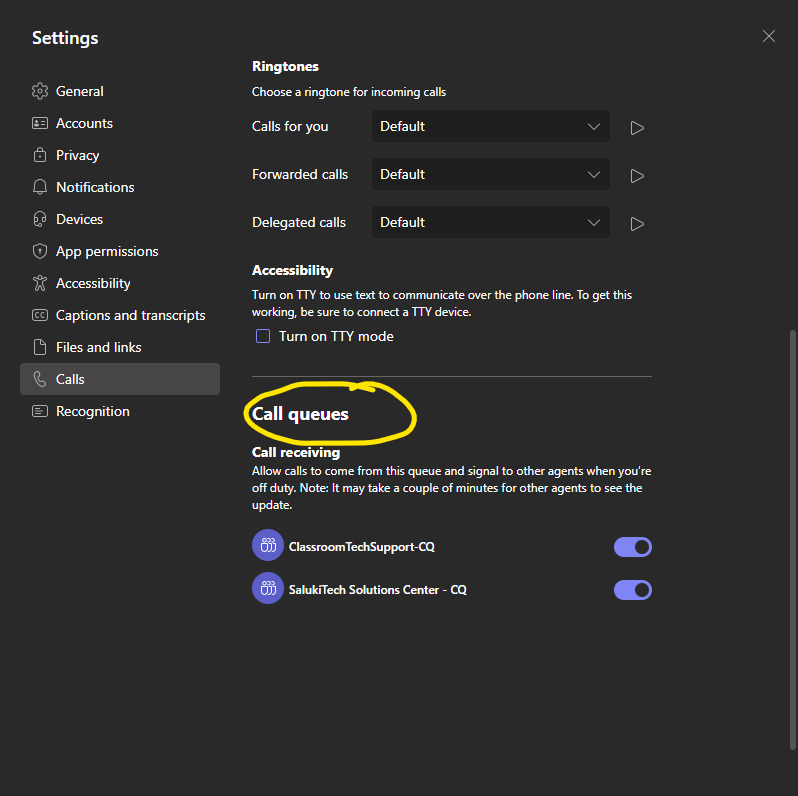
Scroll down until you see “Call Queues”
A screenshot of a phone call

Description automatically generated

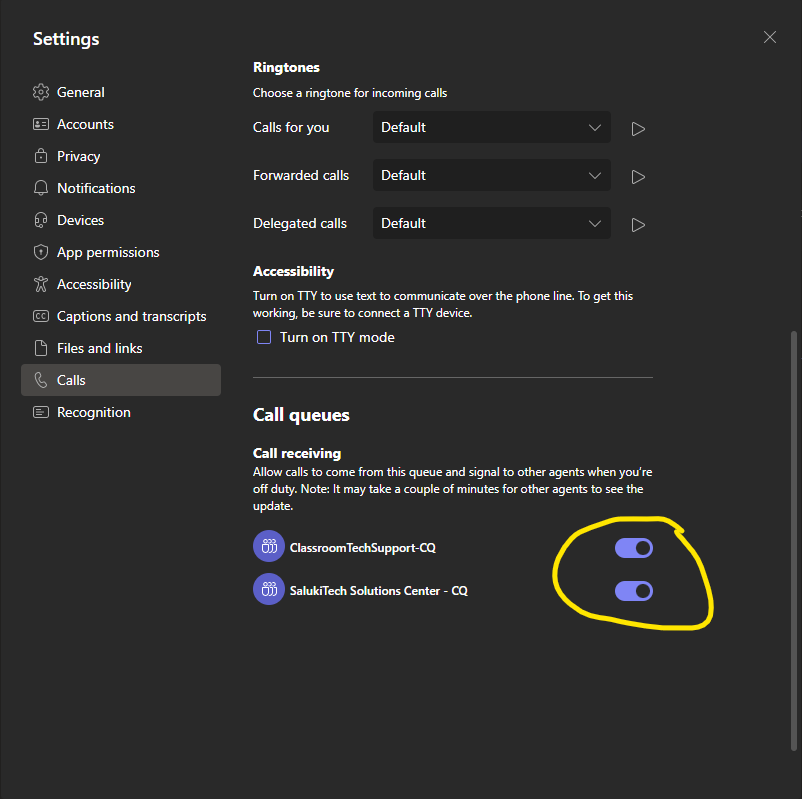
Toggle queues on and off by clicking the switch.
A screenshot of a computer

Description automatically generated

Was this article helpful?
How can we improve this article?
Need help?

Leave a Reply

Table of Contents