
Browse Our Knowledge Base
Unable to Access MyFuture Portal
Overview
The MyFuture portal is used by prospective and current students to apply for admission and register for orientation. Accounts created in MyFuture are sometimes confused with SIU Network ID accounts (especially when a university email address is used as the login name).
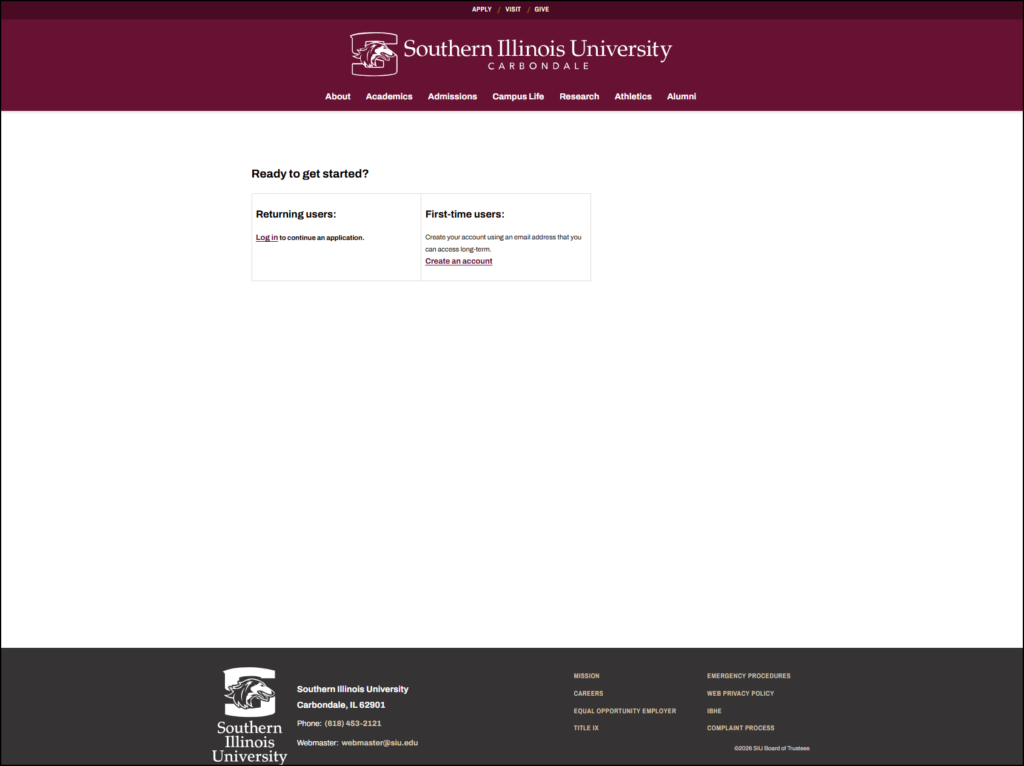
It’s important to note that myfuture.siu.edu accounts are separate from your SIU Network ID (used for email, SalukiNet, Microsoft 365, etc.).
General Account Information
- MyFuture uses its own username and password
- Changing your password from the MyFuture portal does not change your SIU Network ID password
- Changing your SIU Network ID password does not change your myfuture password
I can’t login
1. Select the “Forgot your password?” link on the myfuture login page.
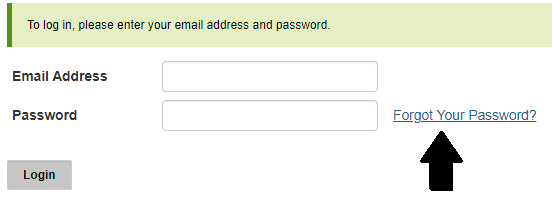
2. Enter your email address. Note: If you are a prospective student (never attended classes at SIUC before), your email address will be the personal one that you inititally applied with. Ex: Gmail, iCloud, Yahoo, etc.
3. Enter your birthdate.
4. Click Reset password. A temporary PIN will be sent to your email address which will allow you to reset your password.
Note: The password reset email will come from admissions@siu.edu with the subject line “SIU Carbondale Application Password Reset.” If you don’t see the email in your Inbox, please check your Junk or Spam folder, or try searching by the sender or subject line.
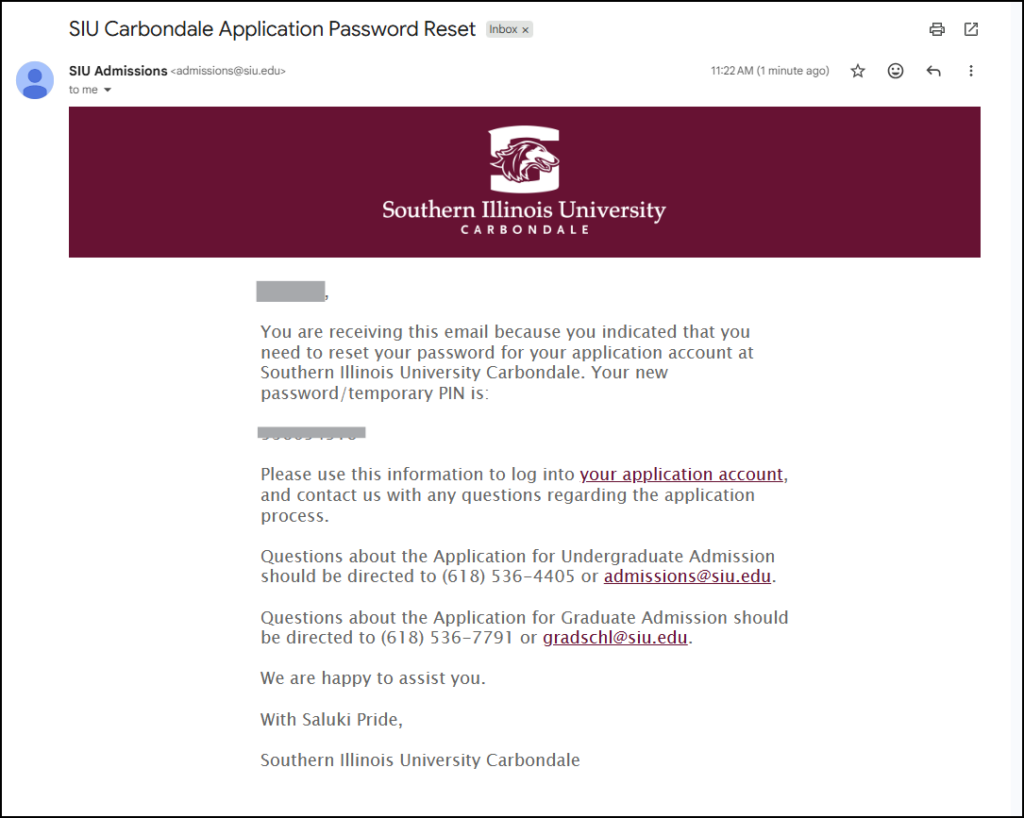
5. Enter your Temporary Pin.
6. Enter your birthdate once more.
7. Click Login.
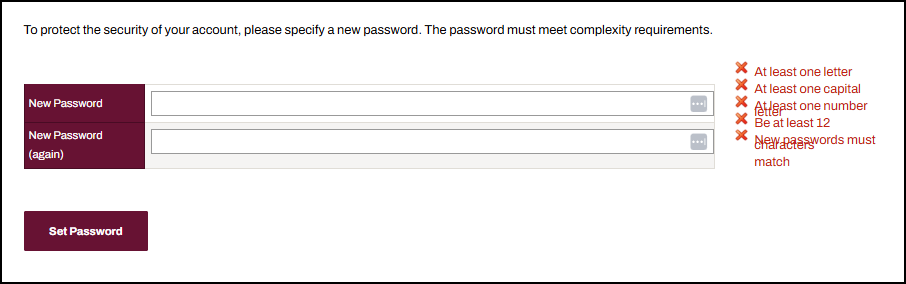
8. You will be prompted to set a new password.
9. Click Set Password to save.
If you’re still unable to access your account after resetting your password, or if you have questions about your application, please contact the SIU Admissions Office at 618‑536‑4405 for assistance.
I tried to reset my password at myfuture.siu.edu but it says “No account exists”
This usually means the information entered does not exactly match what was provided when the account was originally created.
- Double‑check your name, email address, and other details
- The system pulls information directly from the original account setup
If you’re still unable to reset your password—or no longer have access to the email address used for the account—you will need to create a new MyFuture account using a different email address. You may also contact the contact the SIU Admissions Office at 618‑536‑4405 for assistance.
I Reset My Password, but Still Can’t Log In
If you reset your password at netid.siu.edu, that will not update your myfuture.siu.edu password.
Make sure you used the “Forgot your password?” option on the myfuture.siu.edu login page, not the SIU Network ID site.
If problems continue, contact the Admissions Office at 618‑536‑4405.