
Browse Our Knowledge Base
Upload a File to OneDrive
Upload File to OneDrive
Navigate and sign into office.siu.edu and amongst the application tool bar (waffle composed of small squares) on the left hand side of the page select the OneDrive icon.

From the home screen select “Upload” from the top toolbar within OneDrive. 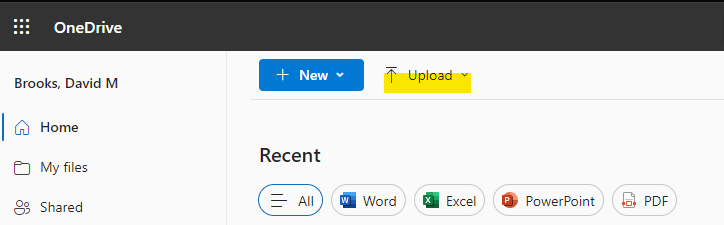
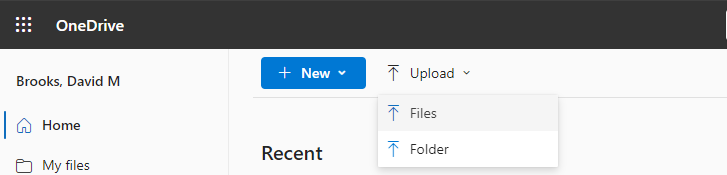
From the drop down menu select what kind of file you will be uploading.
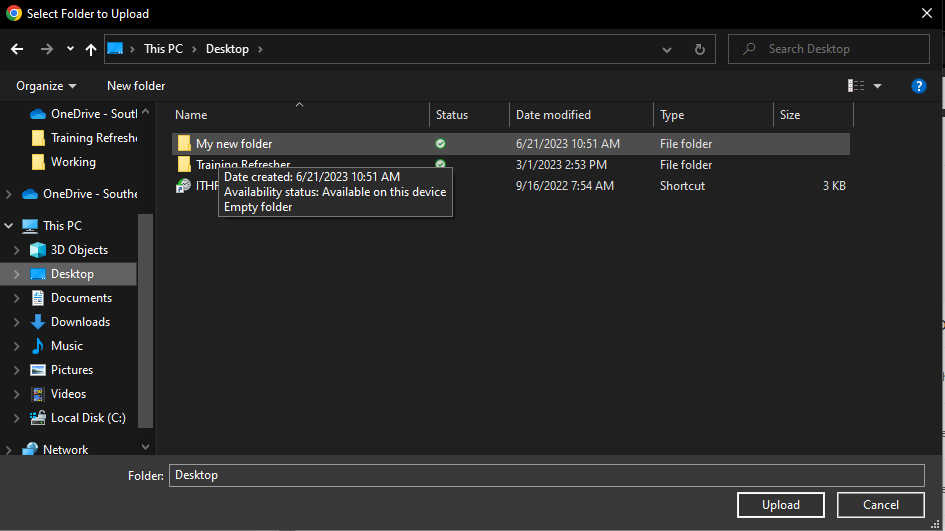
Utilize the directory to locate the file/folder you wish to upload to onedrive. Once completed select “Upload”
Navigate to the “My Files” tab on the left toolbar. Your new document or folder will be amongst the files within OneDrive.

For an expanded tutorial see file uploads to OneDrive from Microsoft.