
Browse Our Knowledge Base
Activate Mathematica
Overview
Activate Mathematica for your University-owned and personal computers.
Academic Use
| These instructions apply to Linux, Mac, and Windows computers for academic use: * Academic Research * Teaching and Learning | |
| Note well: Mathematica activation keys are distributed upon request: * SalukiTech Software Request | |
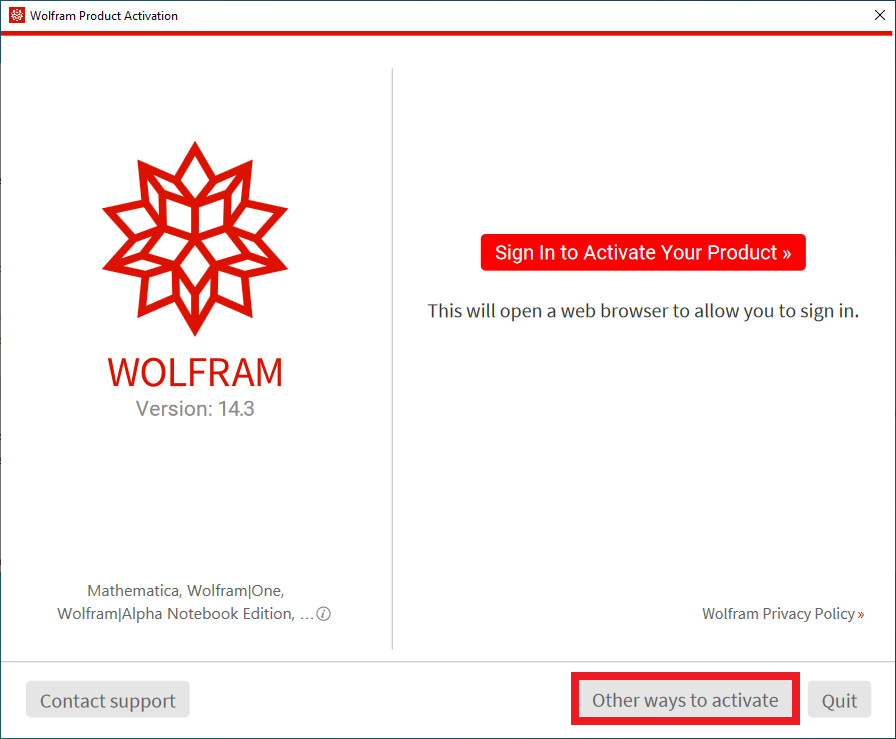 | Activate Mathematica: * Open the Wolfram app. * Click Other ways to activate. |
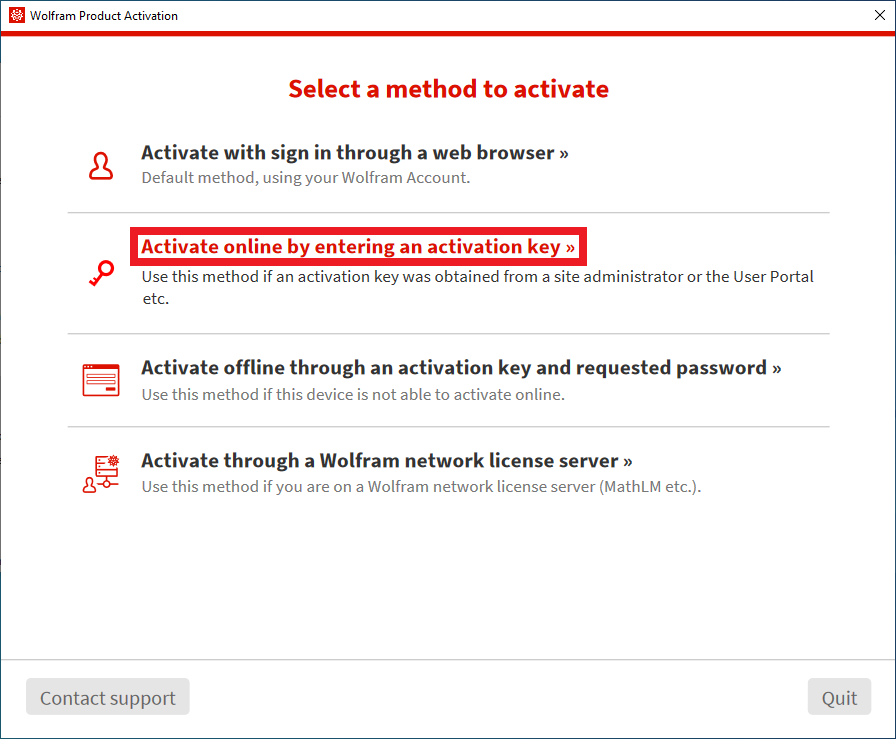 | Select a method to activate: * Click Activate online by entering an activation key. |
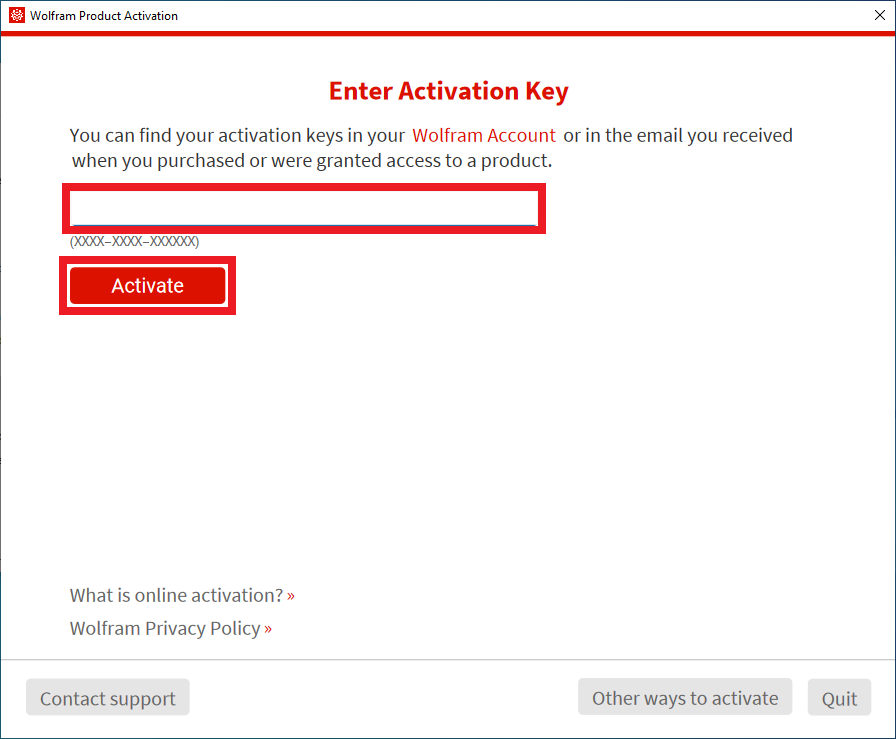 | Enter Activation Key: * Copy and paste your 16-character activation key. * Click Activate. |
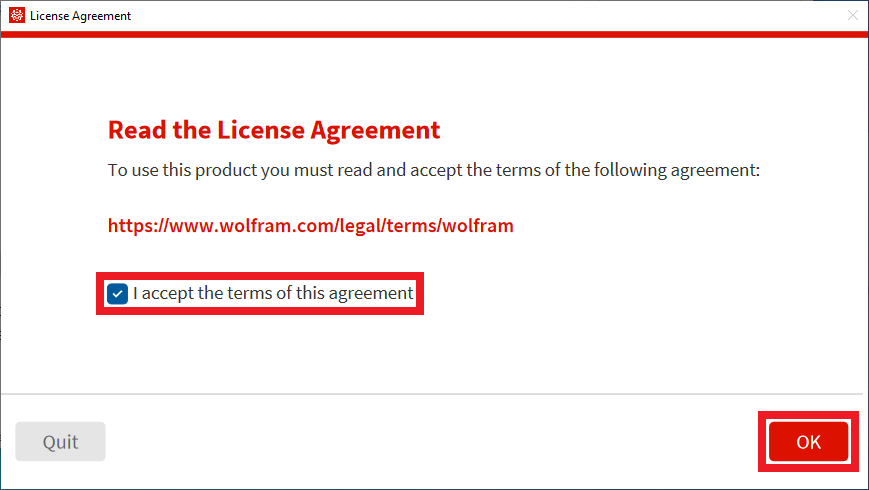 | Read the License Agreement: * Check I accept the terms of this agreement. * Click OK. |
Frequently Asked Questions (FAQ)
What is our Mathematica license cycle?
Our Mathematica license cycle is July 1st through June 30th the following year. Licenses must be renewed each year.