
Browse Our Knowledge Base
How to change course navigation from menu bar (list) to icon-based
Difference between list and icon-based
Top Image: List based Menu
Lower Image: Icon Based Menu


How to
1. Go to “Edit This Nav Bar”
Click on the three dots located at the right of the menu.
Click “Edit this Navbar”
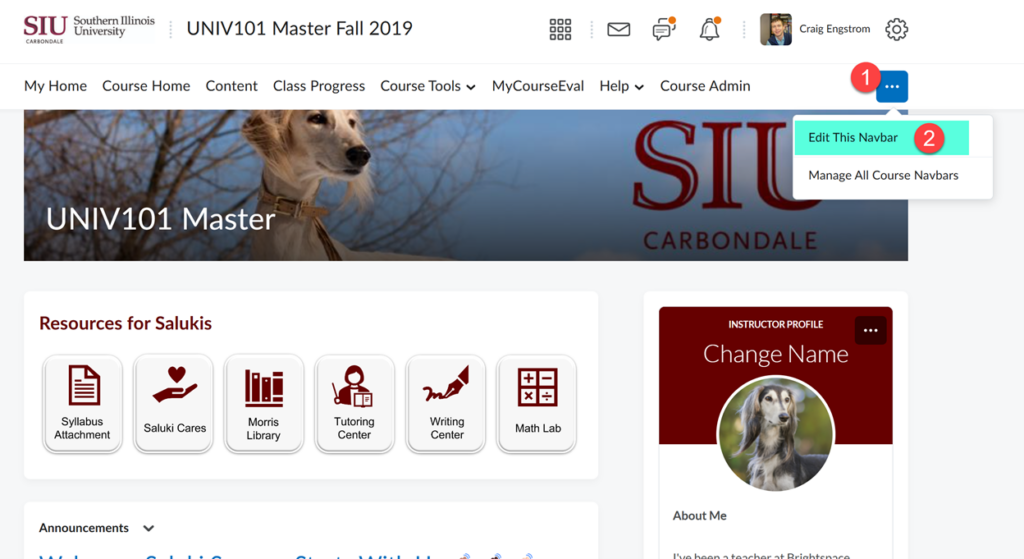
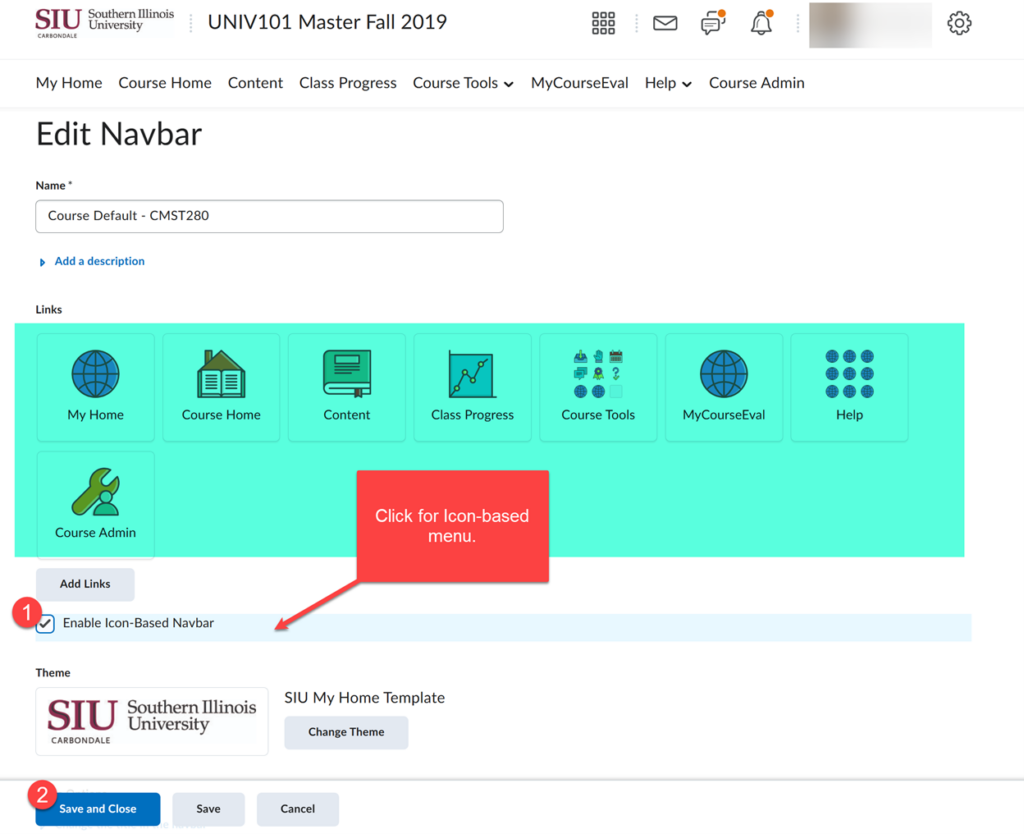
2. Check “Enable Icon Based Navbar” for icon menu
3. For “List-menu” Do not Check “Enable Icon Based Navbar”
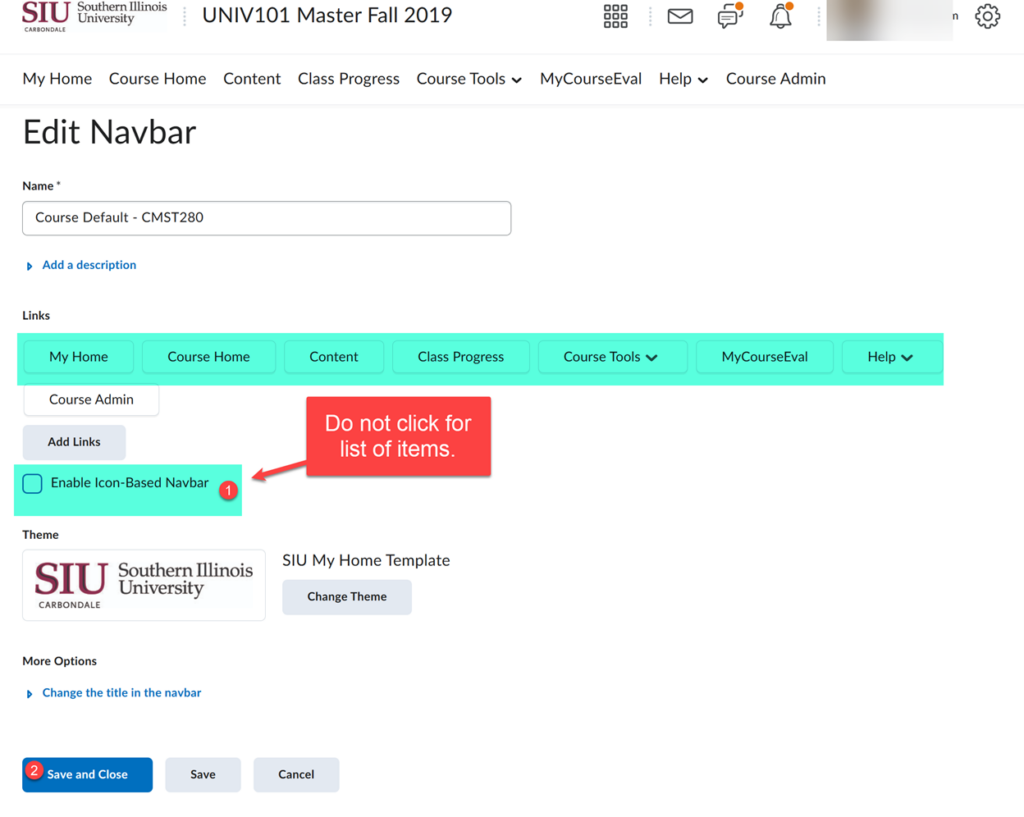
4. Click “Save and Close”