
Browse Our Knowledge Base
How to change Departmental ID password
Step 1. Go to https://netid.siu.edu
Step 2. Login with your SIU credentials (Email or SIU85******** and password) and finish the MFA.
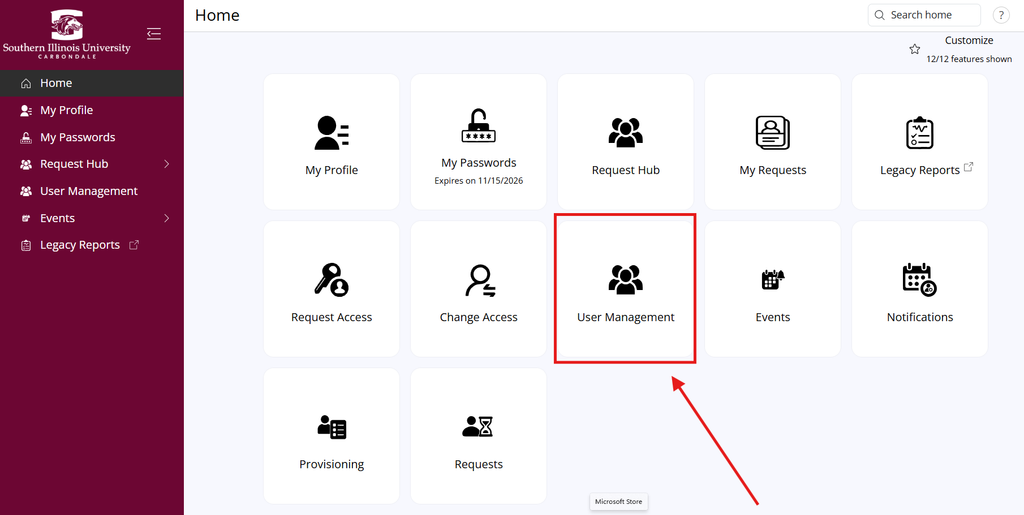
Step 3. Choose User Management
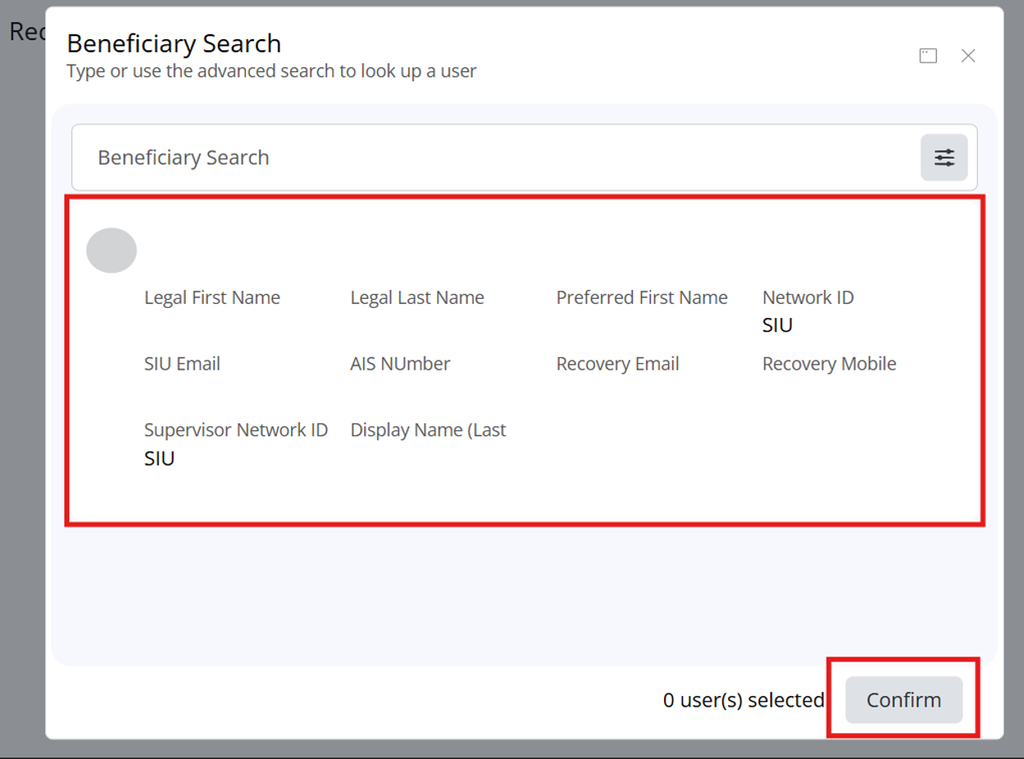
Step 4. Search for the account by email or Network ID (SIU92XXXXXXX). Select the account and then click “Confirm”.
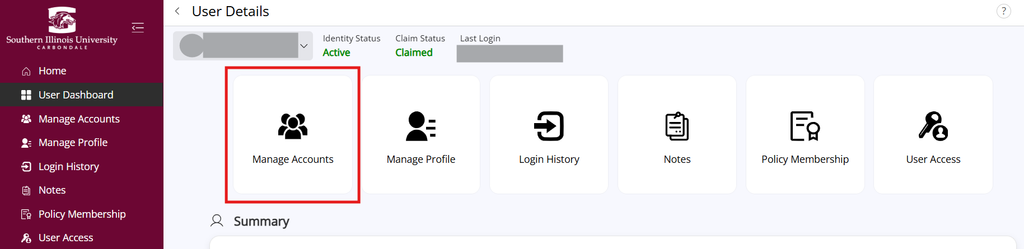
Step 5. Select Manage Accounts.
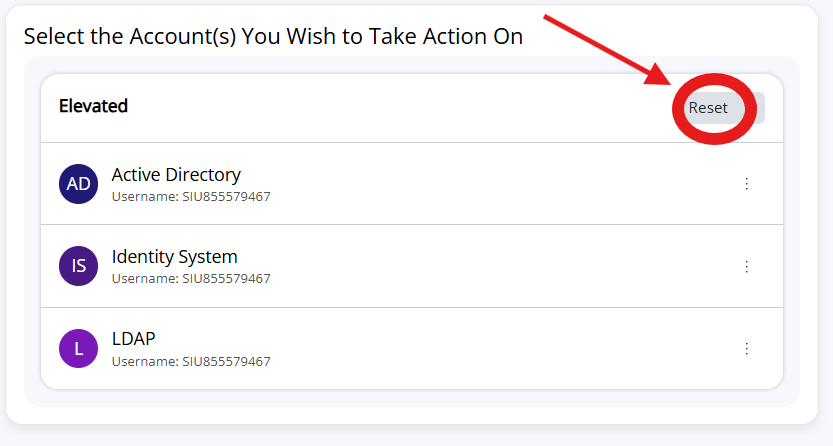
Step 6. Click “Reset” on the top right.
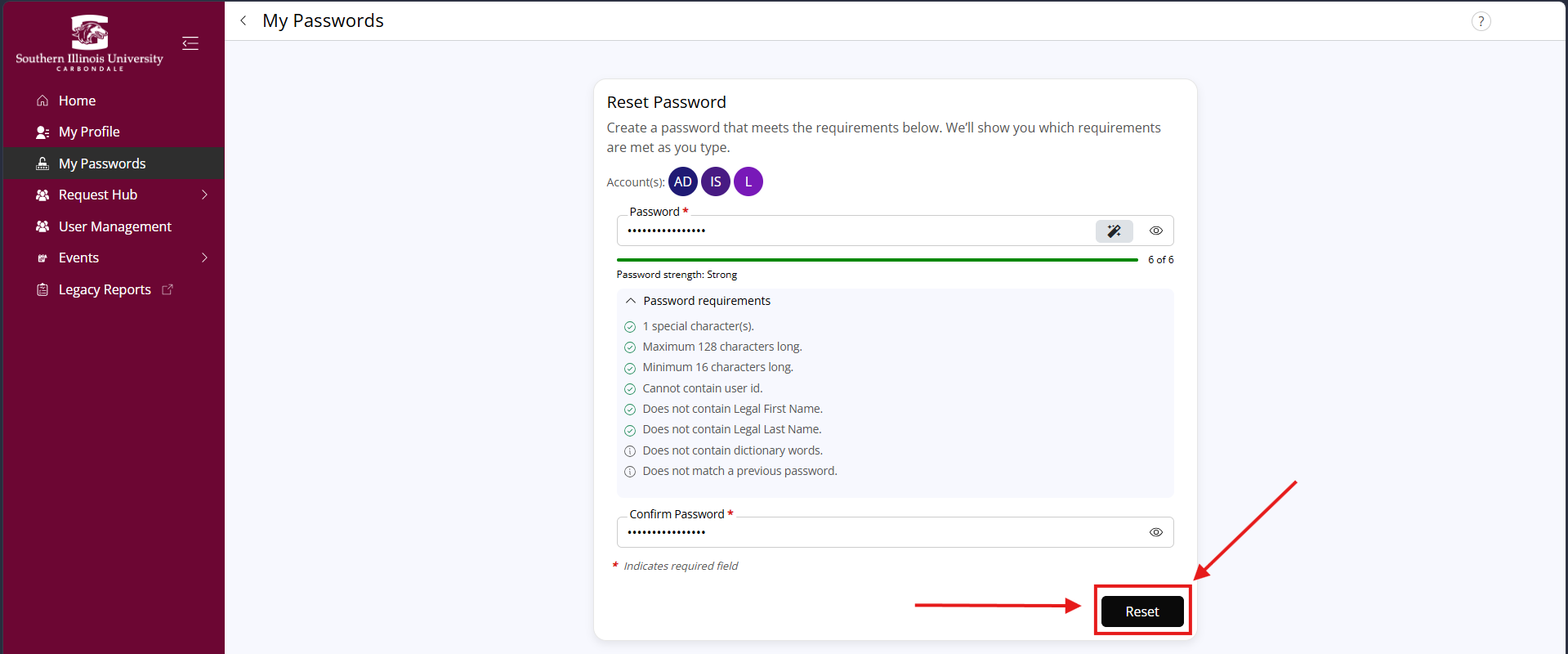
Step 7. Assign new password that meets requirements listed under the password box. Confirm new account password.
My Departmental Account is unclaimed and I am unable to claim it
Departmental accounts are often left unclaimed since they do not usually have an entry for the first and last name fields. Leaving these accounts unclaimed does not interfere with the functionality of the account.