
Browse Our Knowledge Base
How to Upload Assignments in D2L
This Quick Guide will help you learn How to Upload Assignments in D2L.
Step 1
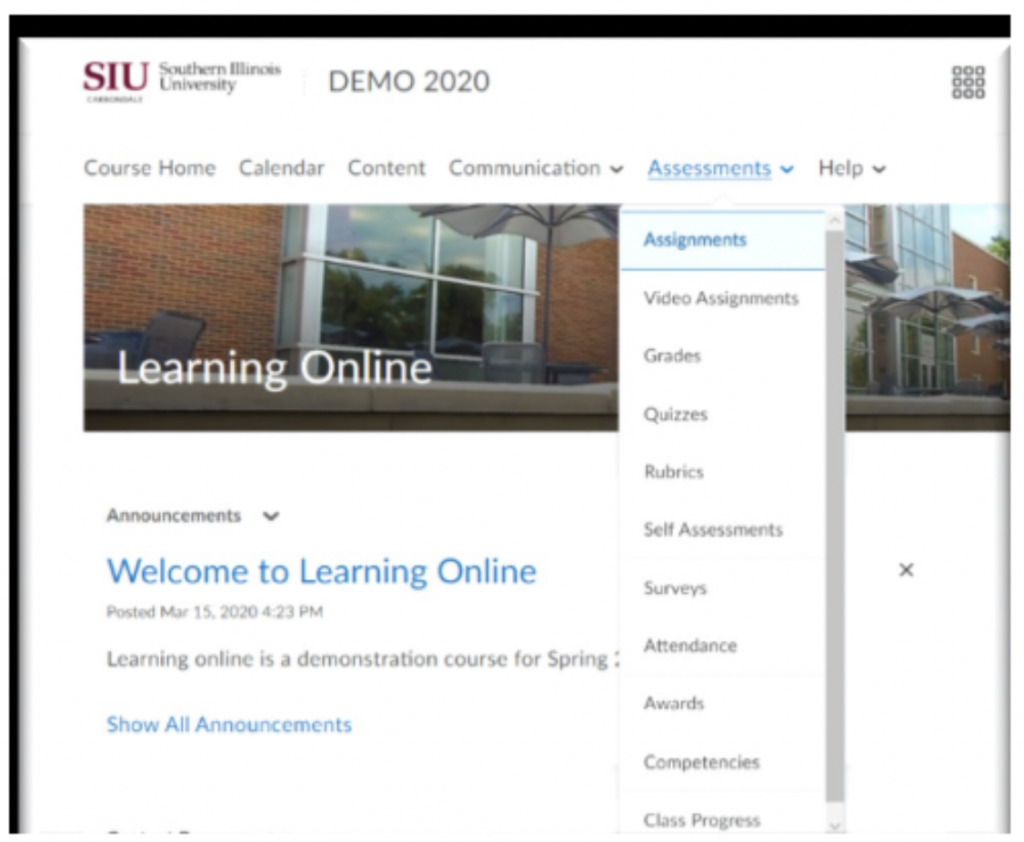
On your Course Homepage:
- Click Assessments,
- then click Assignments
Step 2
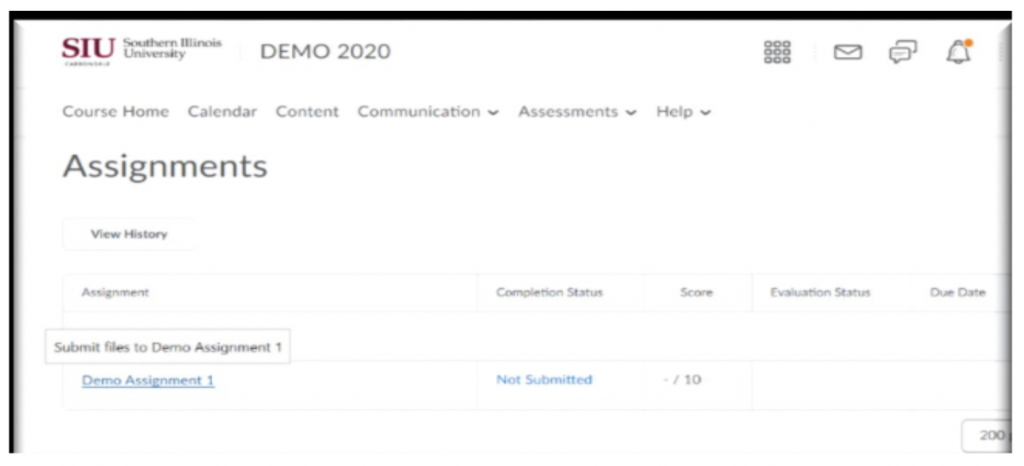
In Assignments:
- Click on the Assignment Name
- To submit file as noted
Step 3
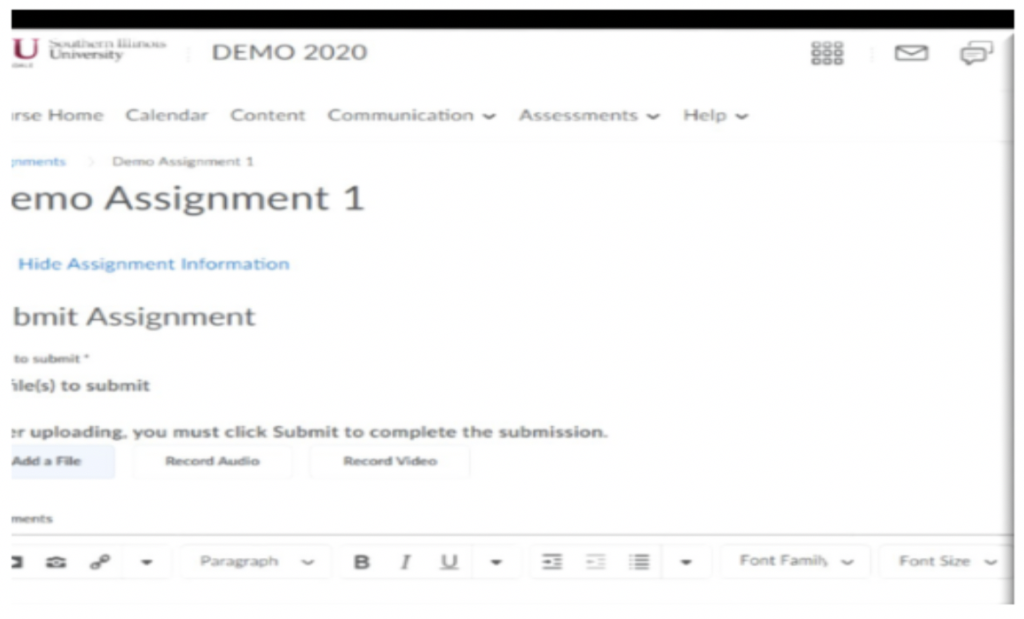
To submit Assignment:
- Click Add A File
- Click Submit
Click link to view D2L Brightspace Video: