
Browse Our Knowledge Base
Import a Course from Another Learning Management System
Overview
A guide to assist faculty who are bringing courses from other institutions to SIU. A step-by-step guide on how to import a course into D2L that has been exported from another Learning Management System.
Notes and Recommendations
- Course packages from other Learning Management Systems can be imported into D2L. Some content cannot be imported.
- It is advised to obtain help from the LMS administrator at the institution from which you are exporting course content, and you can work with SIU’s LMS team to get more support.
Step 1: Export Course Package
- Confirm that your LMS or content is of the type listed in Appendix A.
- Log into your current LMS (e.g., Blackboard) and export the course package. You will need to follow instructions provided by your LMS administrator.
Step 2: Import Course
- You can watch a video tutorial produced by D2L/Brightspace on Youtube
- Log into D2L and navigate to the course you want to important content into
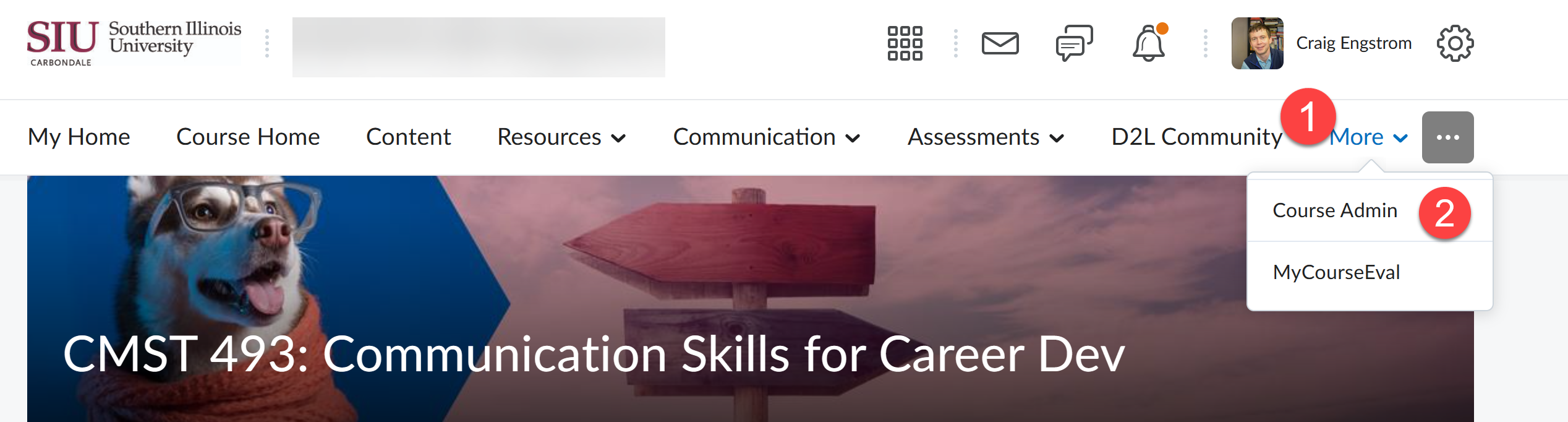
- Go to “Course Admin” in menu
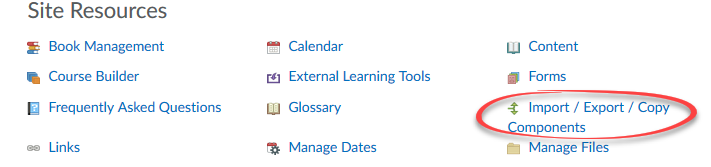
3. Select Import/Export/Copy Components.
4. Select Import Components.
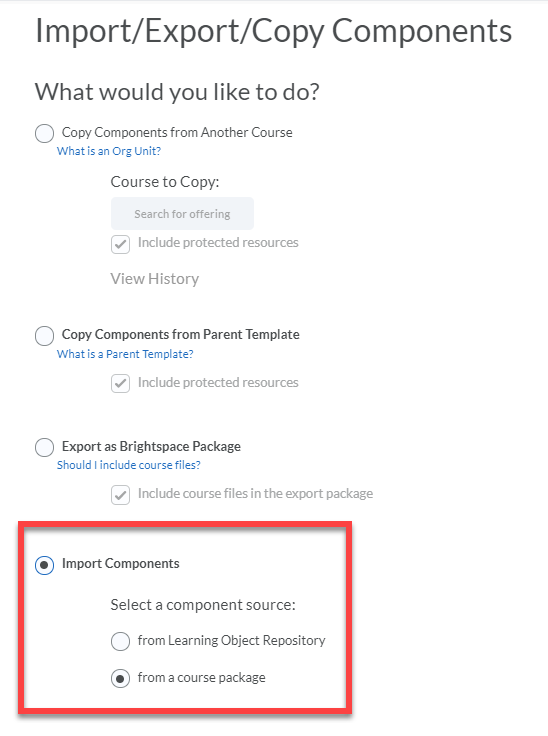
5. Verify that from a course package is selected.
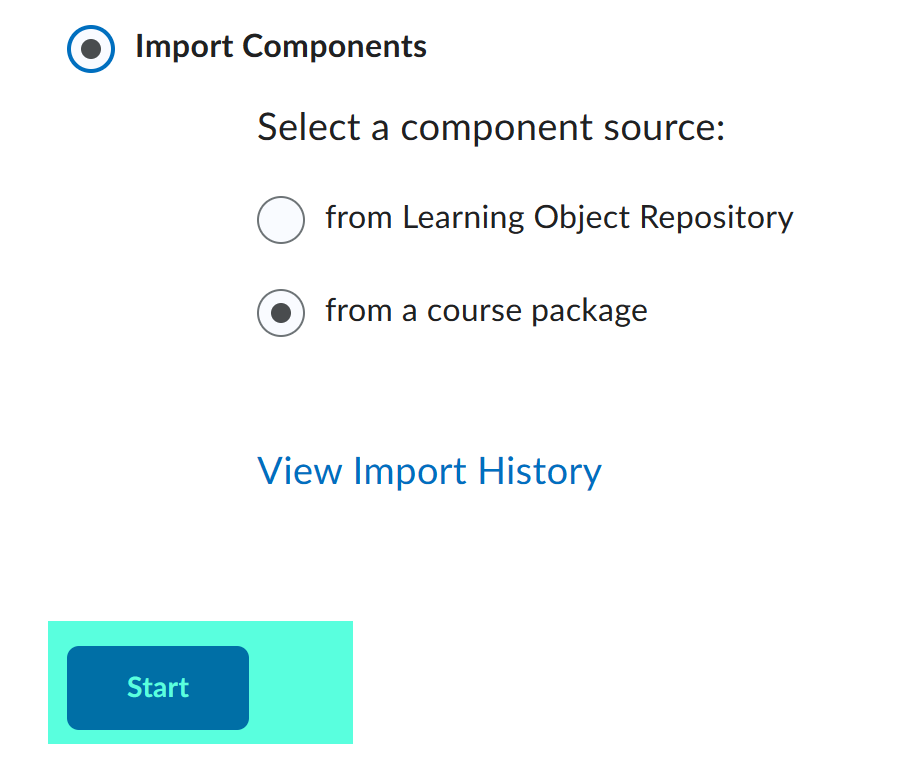
- Select Start.
- Drag and drop the package file (exported from the prior LMS) or select Upload and locate the file on your computer. Depending on the size of the package, it could take some time for the file to upload.
- Select Import All Components.
Appendix A
Content types that can be imported into D2L are listed in the table.
|
Component |
IMS CP |
QTI |
|
Blackboard 6.0 |
1.1.2 |
1.2.1 |
|
Blackboard 6.1.5/6.2/6.3 |
1.1.3 |
1.2.1 |
|
Blackboard 7 |
1.1.3 |
1.2.1 |
|
Blackboard 8 |
1.1.2 |
1.2.1 |
|
Blackboard 9 |
1.1.2 |
1.2.1 |
|
Common Cartridge® 1.0 |
1.1.3 |
1.2.1 |
|
Common Cartridge 1.1 |
1.2 |
1.2.1 |
|
Common Cartridge 1.2 |
1.2 |
1.2.1 |
|
Common Cartridge 1.3 (and ThinCC1.3) |
1.2 |
1.2.1 |
|
Desire2Learn 8.x |
1.1.3 |
1.2.1 |
|
Respondus 2.0 |
N/A |
1.2.1 |
|
Respondus 3.x |
N/A |
1.2.1 |
|
Sakai Archive |
1.1 |
1.2.1 |
|
SCORM® 1.2 |
1.1.2 |
N/A |
|
SCORM 1.3 (2004) |
1.1.3 |
N/A |
|
WebCT® CMU 1.x |
1.1.2 |
1.2.1 |
|
WebCT CMU 2.0 |
1.1.3 |
1.2.1 |