
Browse Our Knowledge Base
Install Mathematica on Your Personal Computer
Overview
Install Mathematica on your personal computer for academic use. The current license cycle is from 7/1/2026 until 6/30/2027.
Linux
| These instructions apply to Linux computers for academic use: * Academic Research * Teaching and Learning | |
| Request Mathematica: * Click here to request an activation key: SalukiTech Software Request | |
| Uninstall Mathematica: * Uninstall all previous Mathematica installations, then restart your computer. | |
| Download Mathematica: * Click here to download: Wolfram_15.0.1_LIN.iso * SHA-256 hash: e83da7917e3874d46675bb24df12e8ed3d69f567ae9f2a8a446b71c3e423a66e | |
| Install Mathematica: * Open Running the Installer from a DVD or USB. | |
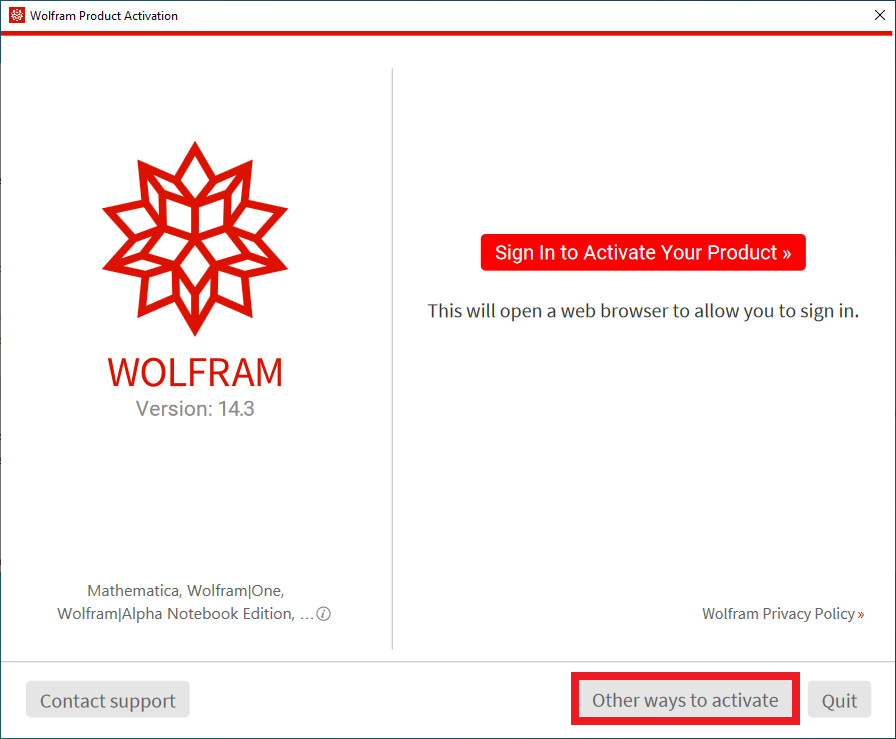 | Activate Mathematica: * Open the Wolfram app. * Click Other ways to activate. |
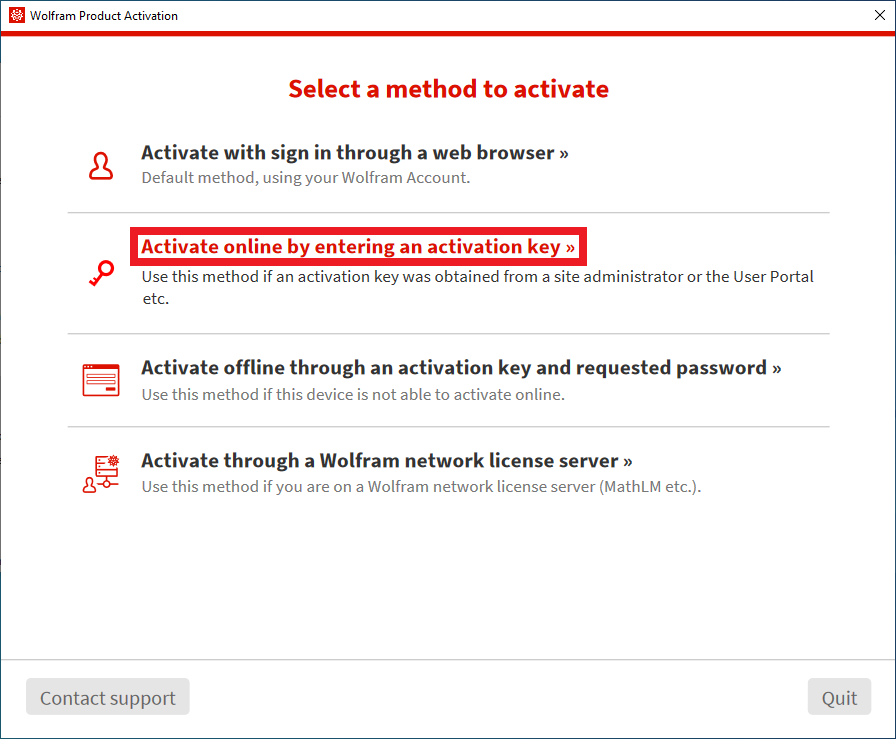 | Select a method to activate: * Click Activate online by entering an activation key. |
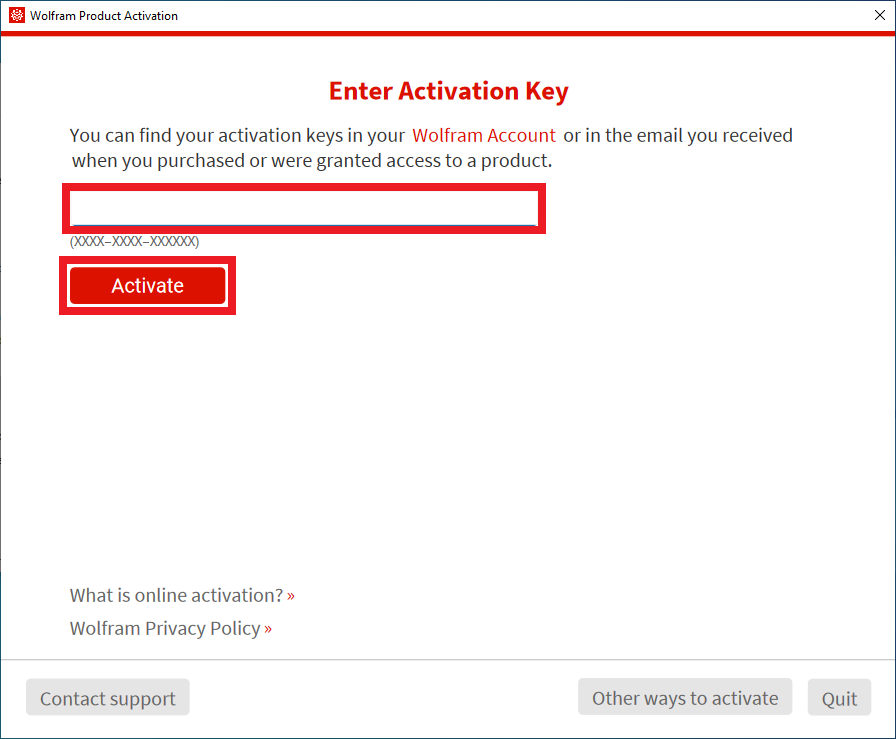 | Enter Activation Key: * Copy and paste your 16-character activation key. * Click Activate. |
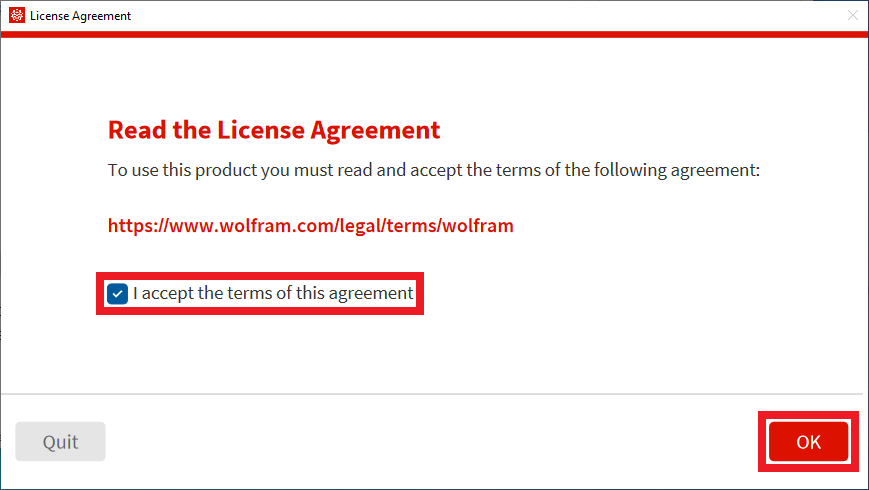 | Read the License Agreement: * Check I accept the terms of this agreement. * Click OK. |
Mac
| These instructions apply to Mac computers for academic use: * Academic Research * Teaching and Learning | |
| Request Mathematica: * Click here to request an activation key: SalukiTech Software Request | |
| Uninstall Mathematica: * Uninstall all previous Mathematica installations, then restart your computer. | |
| Download Mathematica: * Click here to download: Wolfram_15.0.1_MAC.dmg * SHA-256 hash: 1bb9130ca53e6798eb897336da28336e6ea3bc3ae2860e17ee97e0f9cdd46204 | |
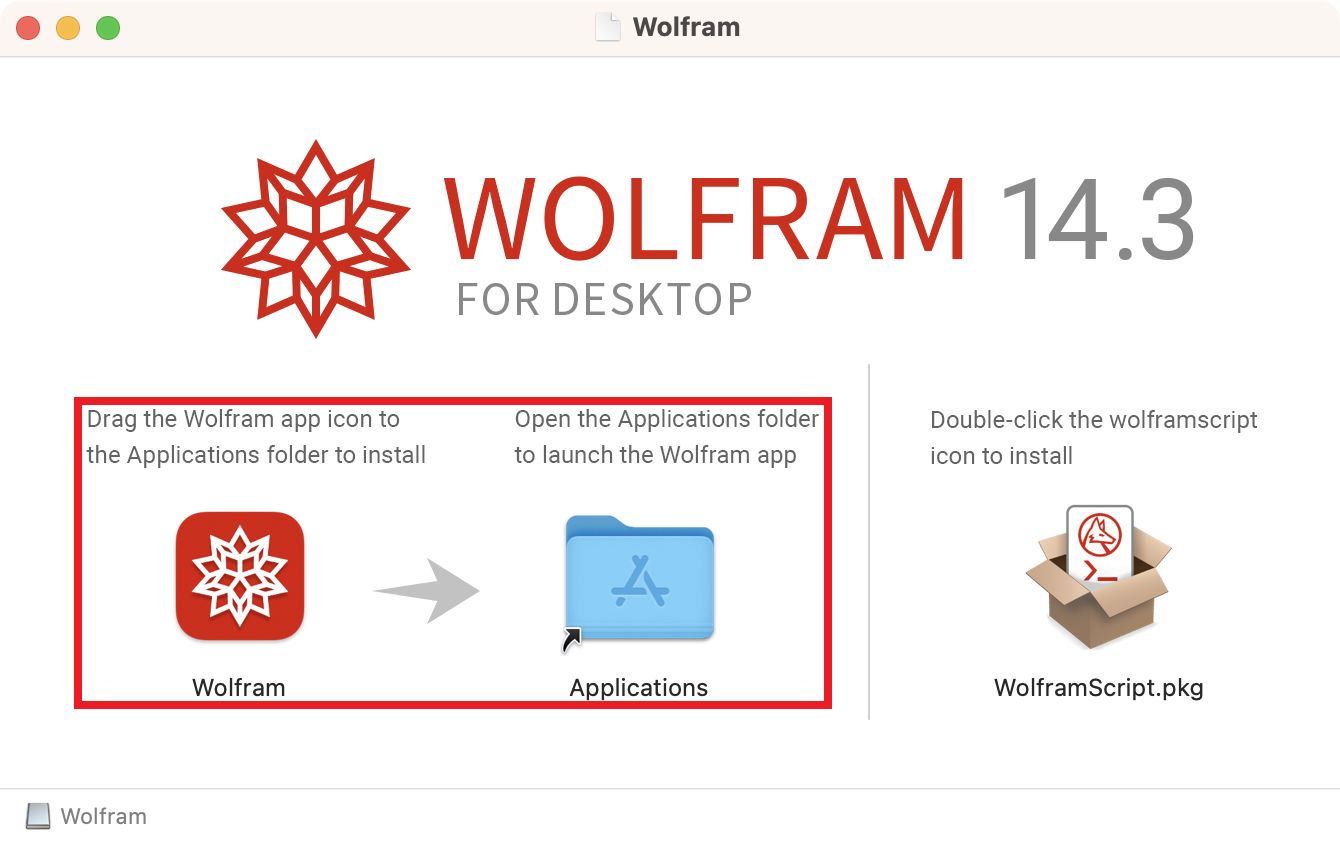 | Install Mathematica: * Open the downloaded disk image. * Open the Wolfram drive. * Copy the Wolfram app to the Applications folder. |
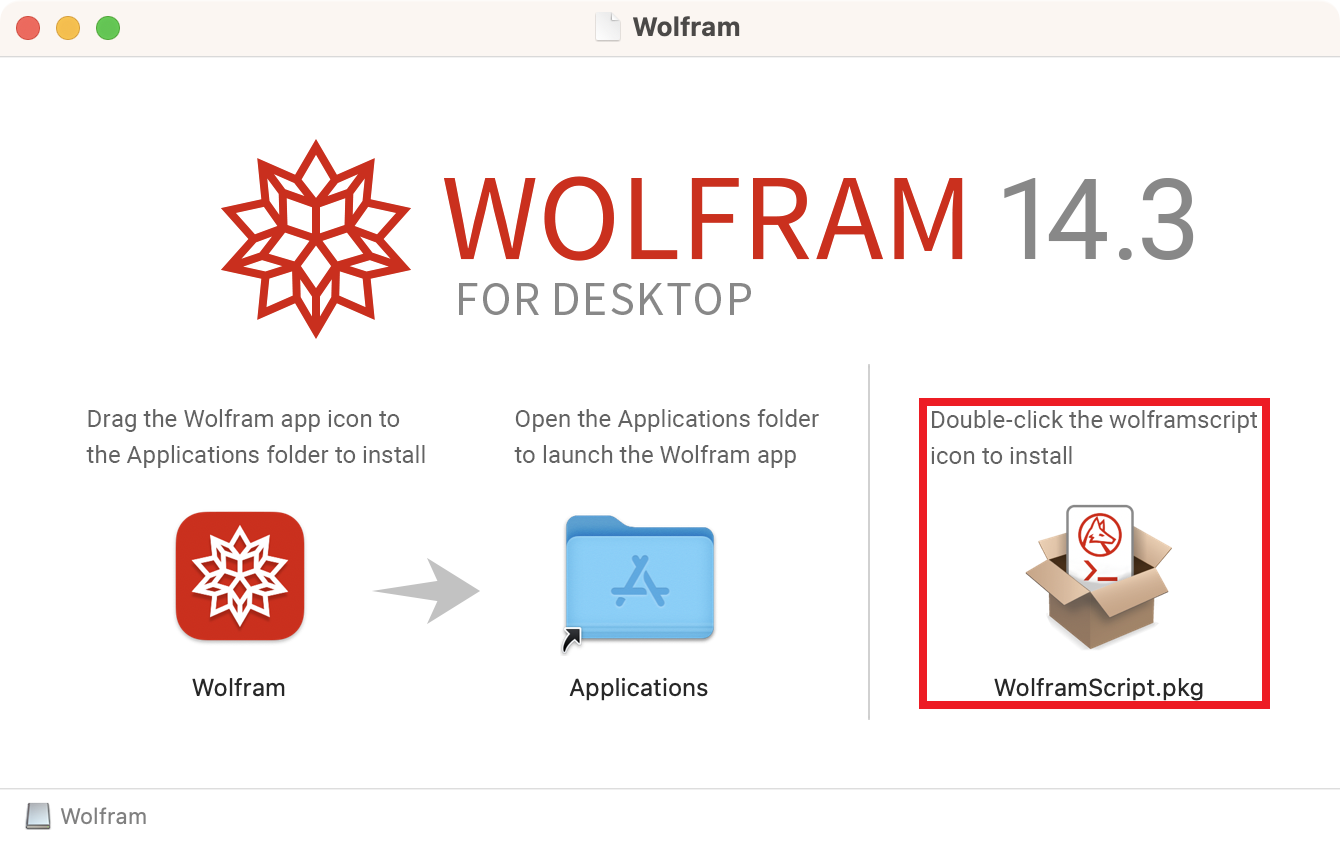 | Install WolframScript: * Open the WolframScript.pkg installer. |
| Activate Mathematica: * Open the Wolfram app. * Click Other ways to activate. |
| Select a method to activate: * Click Activate online by entering an activation key. |
| Enter Activation Key: * Copy and paste your 16-character activation key. * Click Activate. |
| Read the License Agreement: * Check I accept the terms of this agreement. * Click OK. |
Windows
| These instructions apply to Windows computers for academic use: * Academic Research * Teaching and Learning | |
| Request Mathematica: * Click here to request an activation key: SalukiTech Software Request | |
| Uninstall Mathematica: * Uninstall all previous Mathematica installations, then restart your computer. | |
| Download Mathematica: * Click here to download: Wolfram_15.0.1_WIN.iso * SHA-256 hash: babe63f86f5fd9548965164d1904b438153026eff9aa160e95e9e3c5d4f93c3b | |
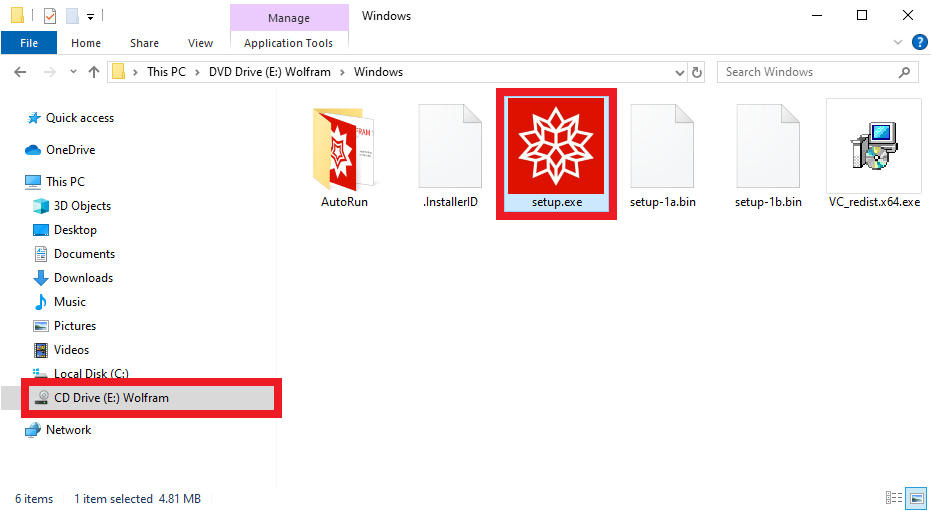 | Install Mathematica: * Open the downloaded disk image. * Open the Wolfram drive. * Open the Windows folder. * Open the setup.exe installer. |
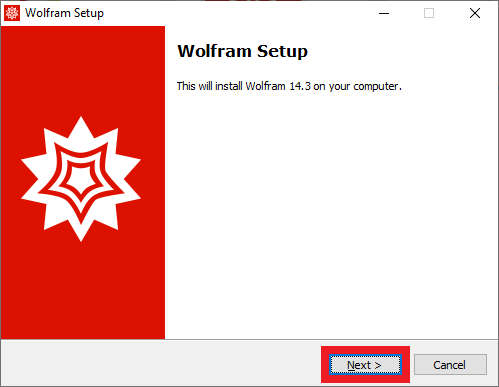 | Wolfram Setup: * Click Next. |
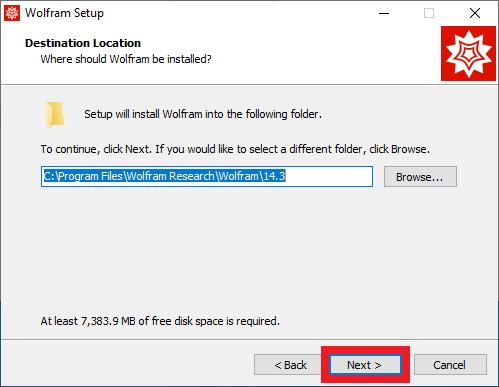 | Destination Location: * Click Next. |
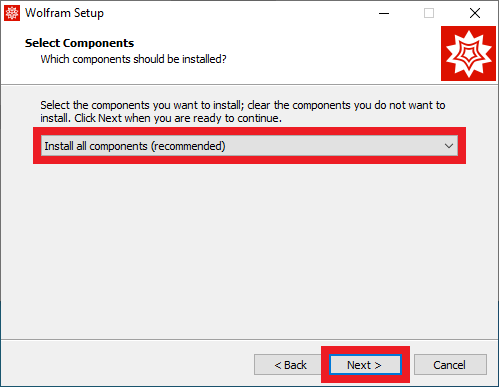 | Select Components: * Select Install all components (recommended). * Click Next. |
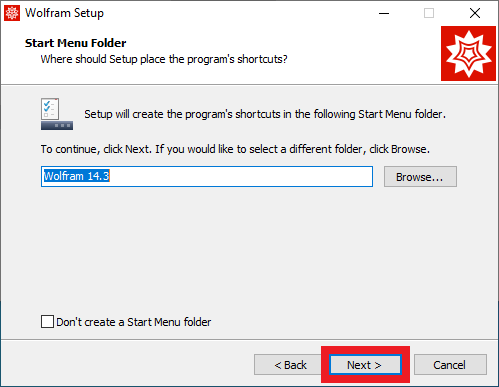 | Start Menu Folder: * Click Next. |
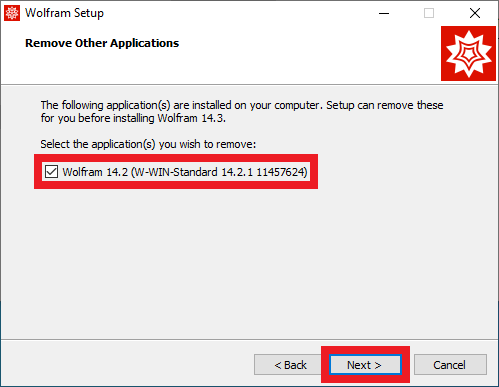 | Remove Other Applications: * If prompted, check all previous Wolfram and Mathematica installations. * Click Next |
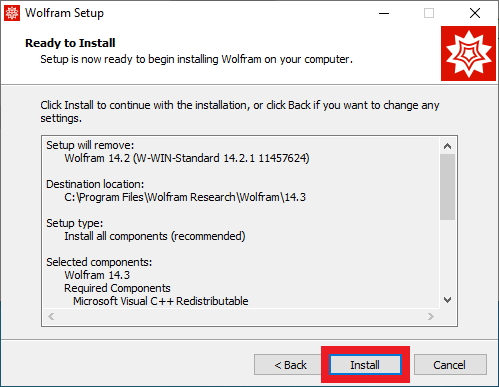 | Ready to Install: * Click Install. |
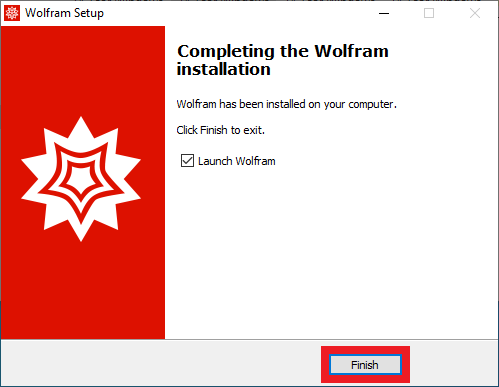 | Completing the Wolfram installation: * Click Finish. |
| Activate Mathematica: * Open the Wolfram app. * Click Other ways to activate. |
| Select a method to activate: * Click Activate online by entering an activation key. |
| Enter Activation Key: * Copy and paste your 16-character activation key. * Click Activate. |
| Read the License Agreement: * Check I accept the terms of this agreement. * Click OK. |
Frequently Asked Questions (FAQ)
What is our Mathematica license cycle?
Our Mathematica license cycle is July 1st through June 30th the following year.