Browse Our Knowledge Base
Adding a Link In Announcement to Content
- Add a link to content in Announcements:
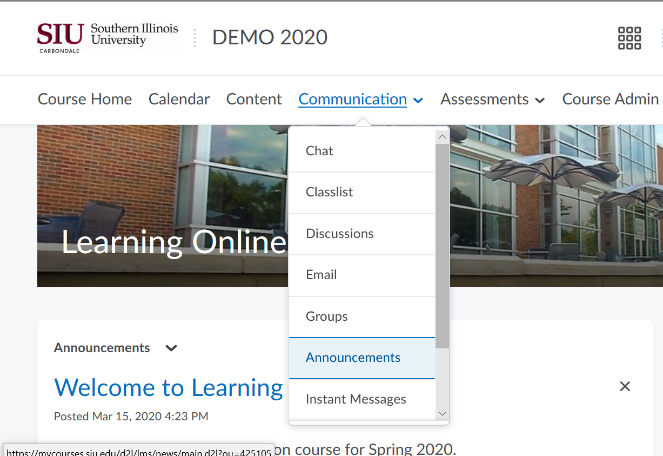
From your course homepage, go to Communications
Click the arrow, and select Announcements
- Click New Announcements
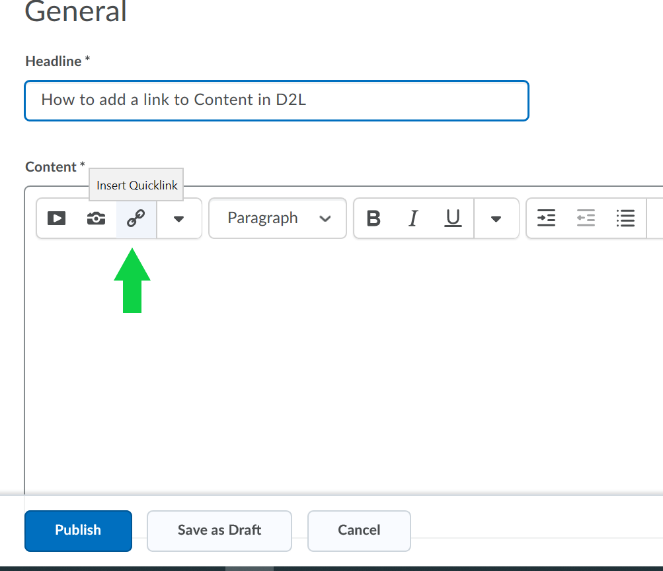
Create a title for your announcement
Click on the Insert Quicklink icon
Choose from your Course Materials
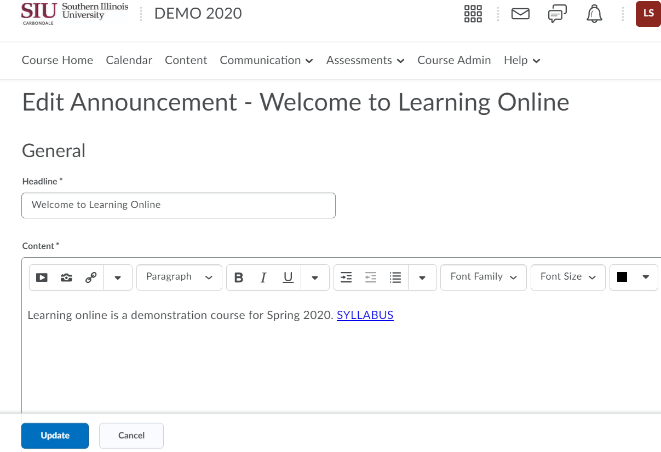
- Click Update
Users will be able to click on the Link to Course Material to go directly to the document or activity.