Browse Our Knowledge Base
Adobe Signature Box Fix – non-Entrust
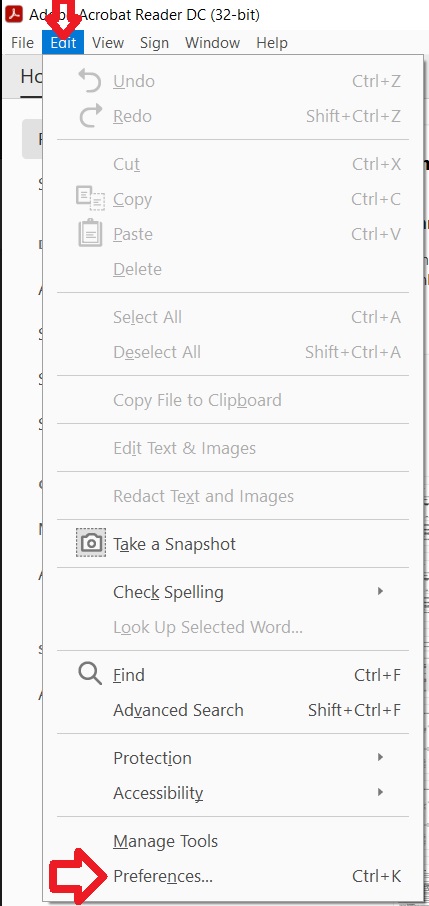
With Adobe Acrobat Reader open click “Edit” and then click on “Preferences”
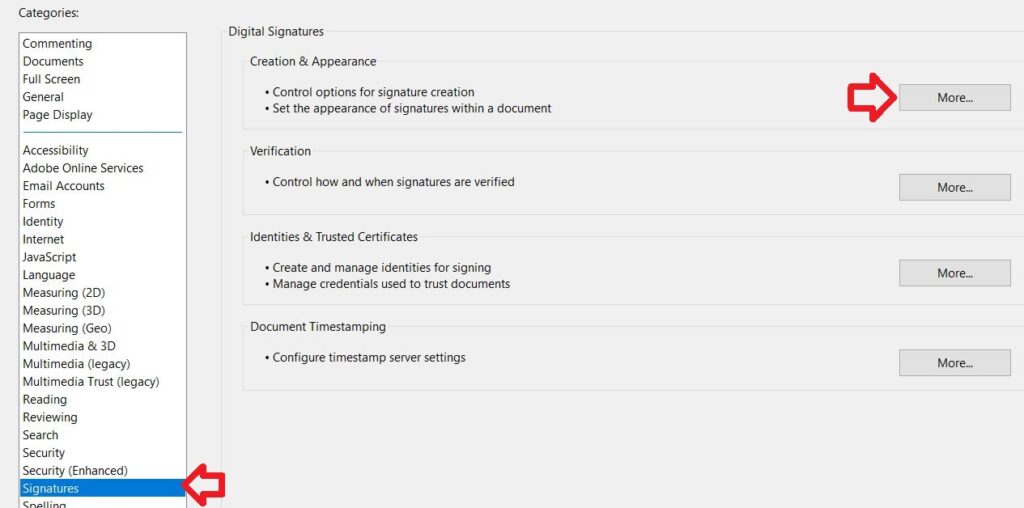
In the “Signatures” menu click within “Creation & Appearance” section click on the “More” box
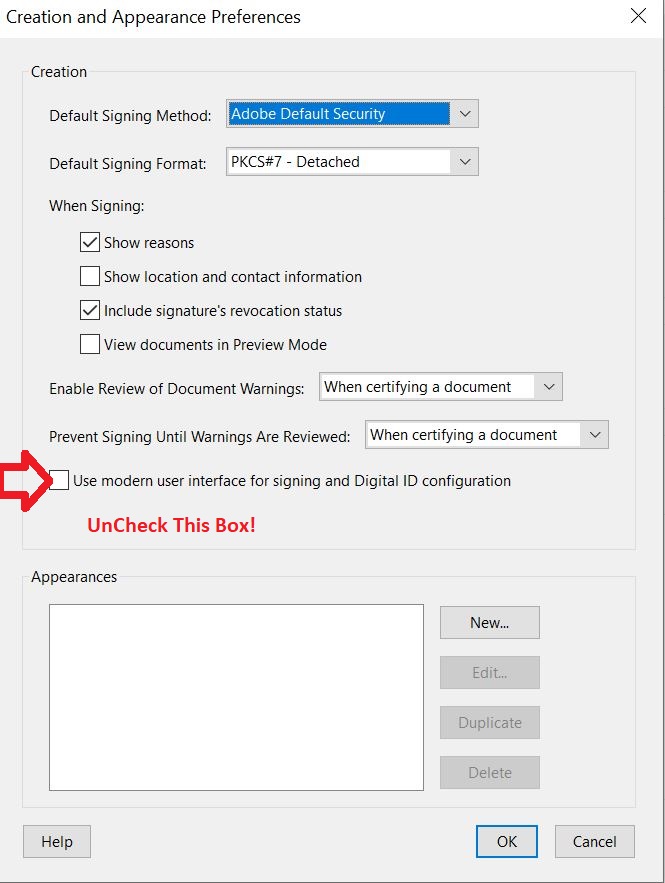
Uncheck the “Use modern user interface for signing and Digital ID configuration” box