
Browse Our Knowledge Base
Creating/Editing Announcements in D2L (MyCourses)
Creating
- Go to COMMUNICATION and then click on ANNOUNCEMENTS
- Click on NEW ANNOUNCEMENT
- Enter HEADLINE and CONTENT of your announcement
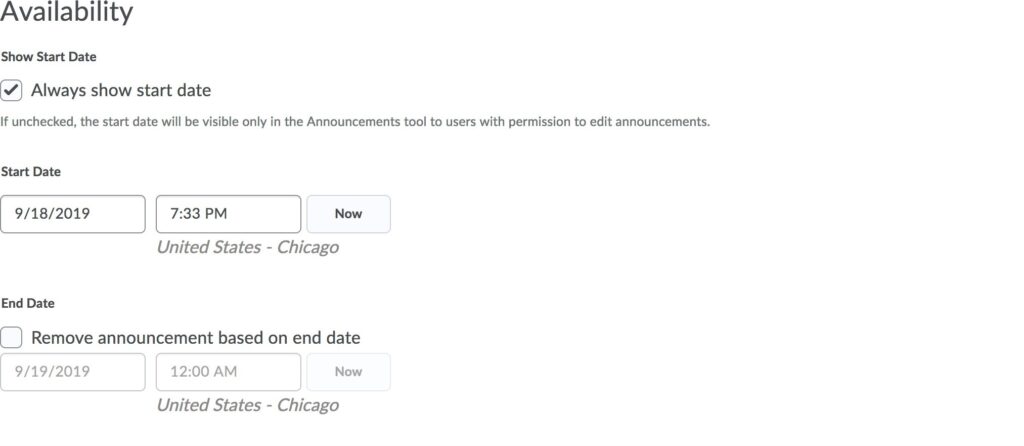
- If you would like to control the availability of your announcement: Under AVAILABILITY, you can enter a START DATE and END DATE; otherwise your announcement will post immediately and will be always available
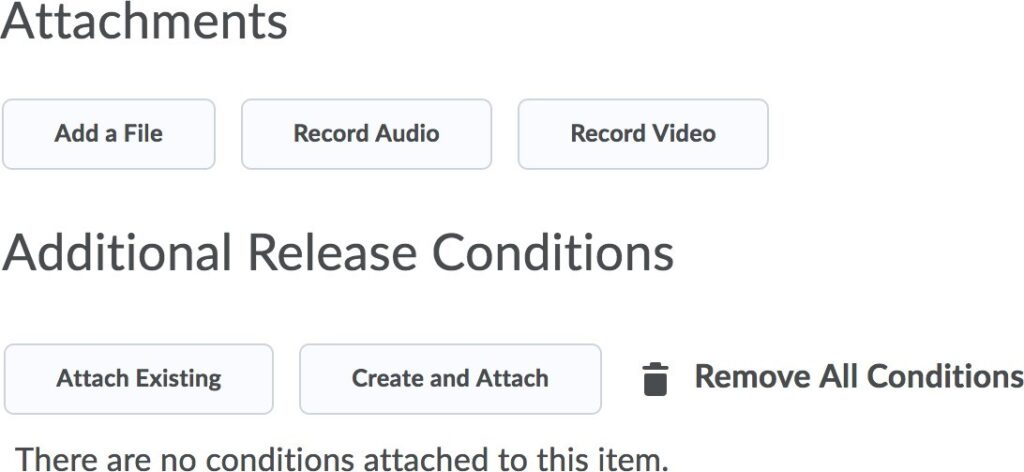
- If desired, you can add an ATTACHMENT
- Or ADDITIONAL RELEASE CONDITIONS
- Click PUBLISH
Editing
- Go to COMMUNICATION and then click on ANNOUNCEMENTS
- Click on the hyperlink of the announcement headline you wish to edit
- Edit HEADLINE, CONTENT, AVAILABILITY, ATTACHMENTS, and/or ADDITIONAL RELEASE CONDITIONS
- Click UPDATE