Browse Our Knowledge Base
How to Access Quiz Feedback on D2L
Overview
In this how to guide, learn how to access quiz feedback on D2L as a learner.
How To
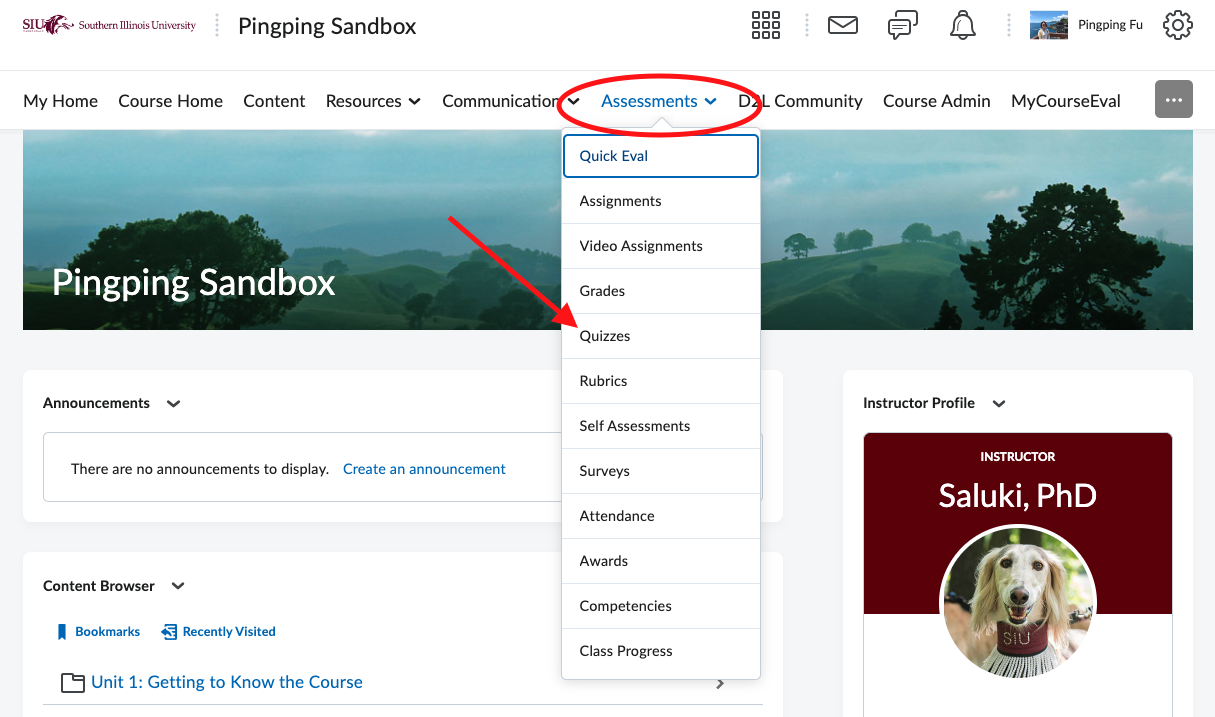
From the homepage of the course, click on Assessment in the Navbar.
Click on Quizzes in the drop-down menu.
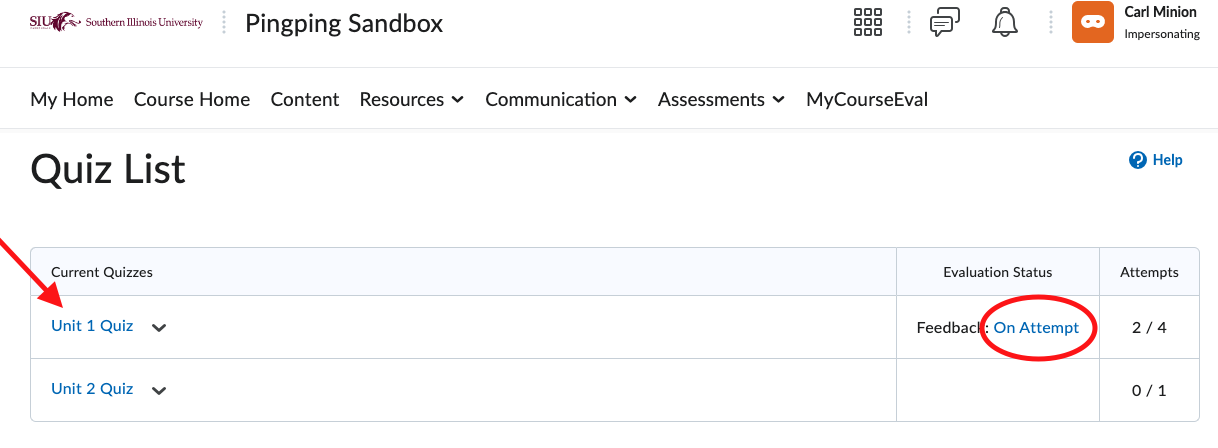
Navigate to the target quiz from your quiz list. Click on corresponding feedback On Attempt to the right.
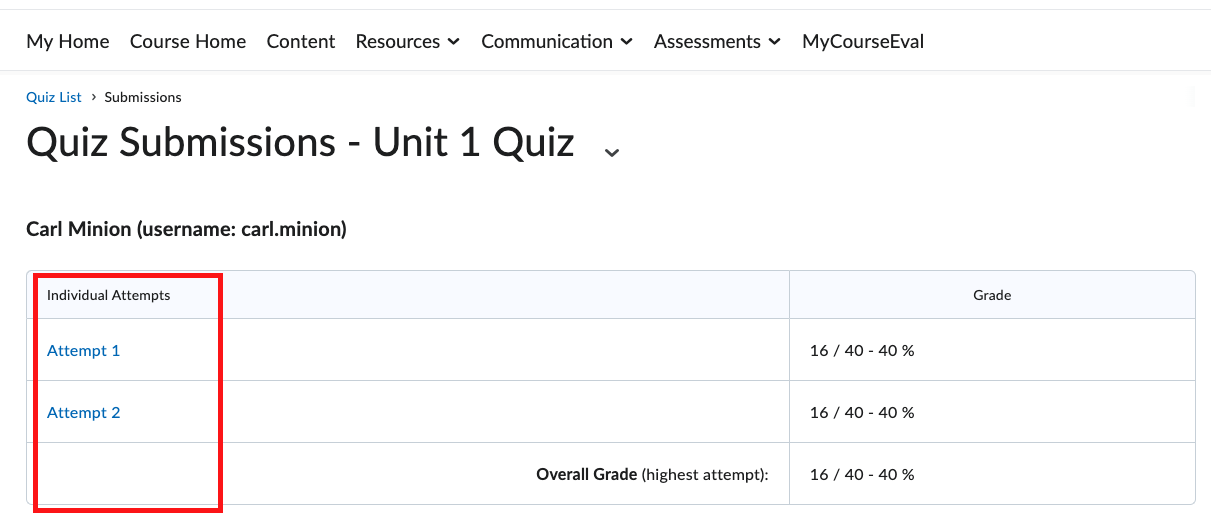
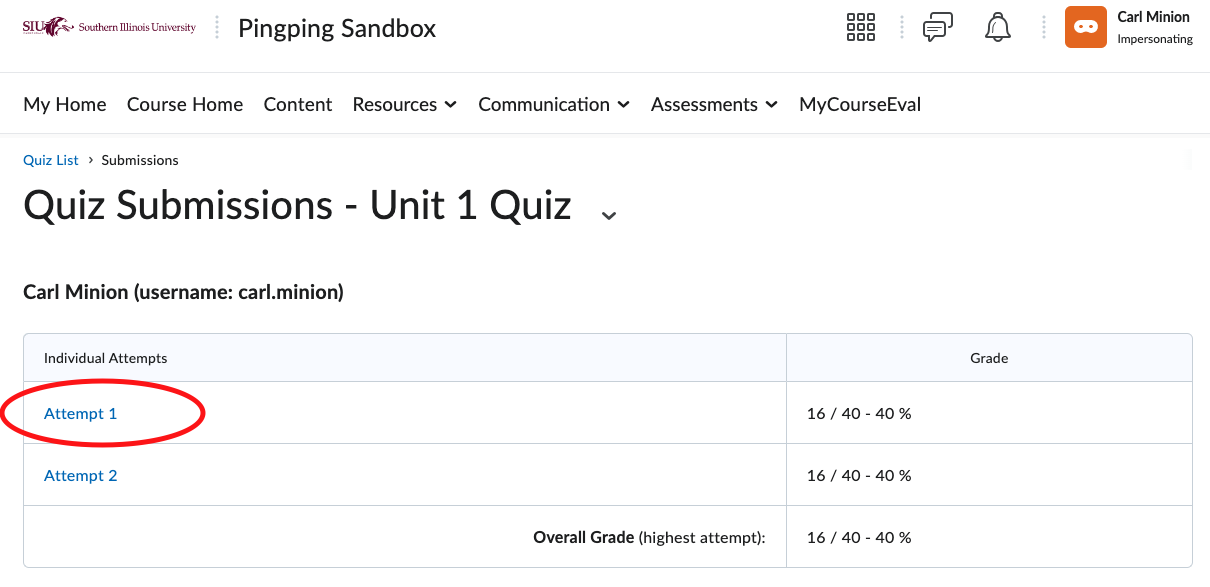
To access feedback on Attempt 1, Click on Attempt 1.
See the report for Attempt 1. You can find your grade and other feedback information. Note that additional feedback information depends on instructors’ feedback display setting.
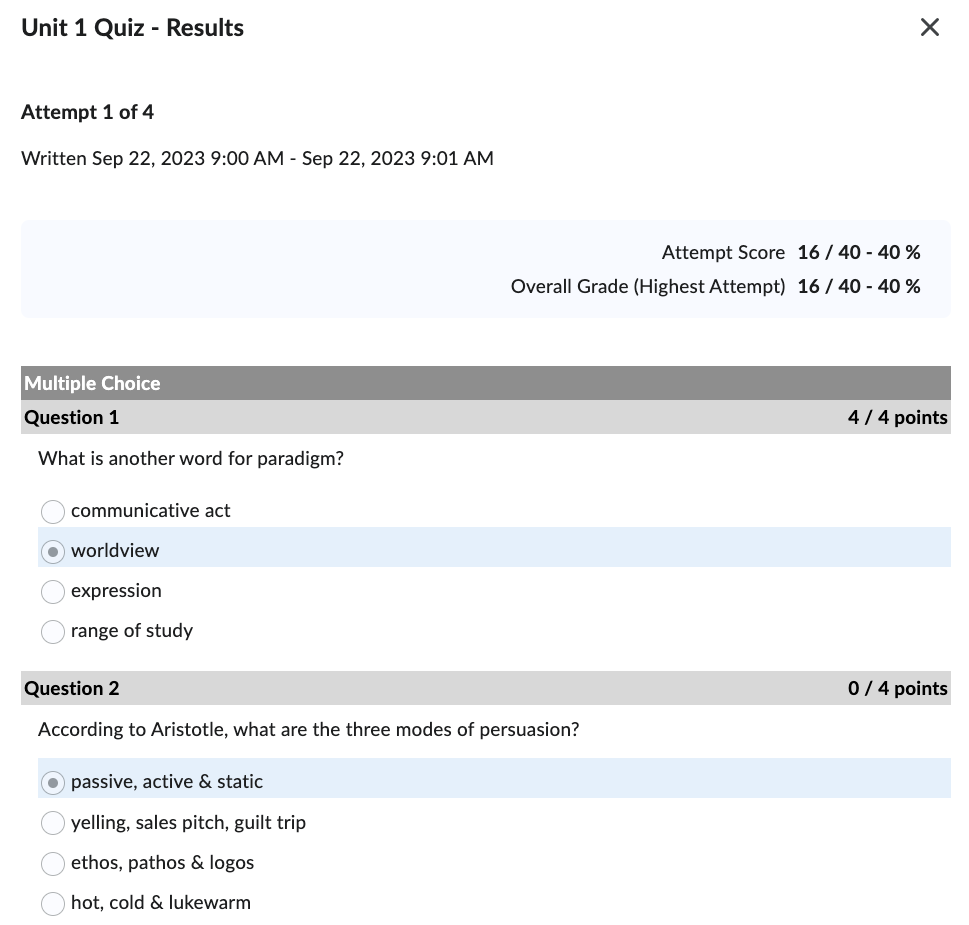 Click on X in the top right corner to exit the report.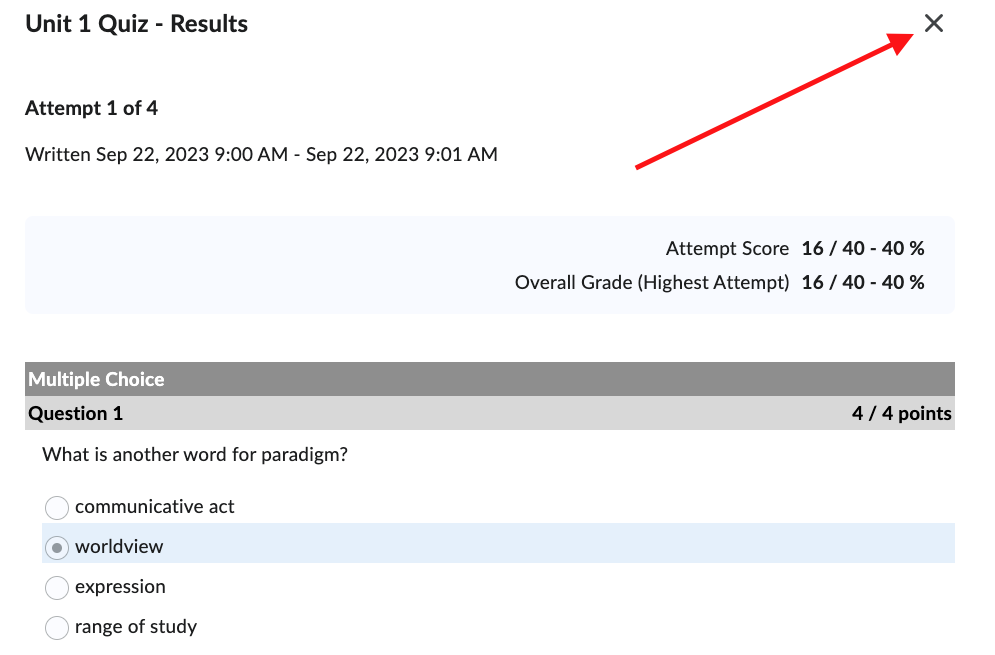
To view feedback on other attempts, simple click on the desired attempt from the attempt list. Note that you will only see more than one attempts if your instructors allow more attempts to complete a quiz.