
Browse Our Knowledge Base
Install JMP Student Edition on Your Personal Computer
Overview
Install JMP Student Edition on your personal computer for non-commercial academic use. You must request access directly from the company, not from SalukiTech. “JMP Student Edition includes all features available in JMP and JMP Pro.”
Academic Use
| These instructions apply to non-commercial, academic use: * Academic Research * Academic Teaching and Learning | |
| 1. Uninstall JMP: * Uninstall all previous JMP, JMP Pro, and JMP Student installations, then restart your computer. | |
| 2. Install JMP: * Open https://www.jmp.com/en/academic/jmp-student-edition/get-started and follow the instructions. * Note well: You’ll request academic access directly from JMP Statistical Discovery LLC, not from SIU. | |
 | 3. Open JMP: * Open the JMP Student Edition app. |
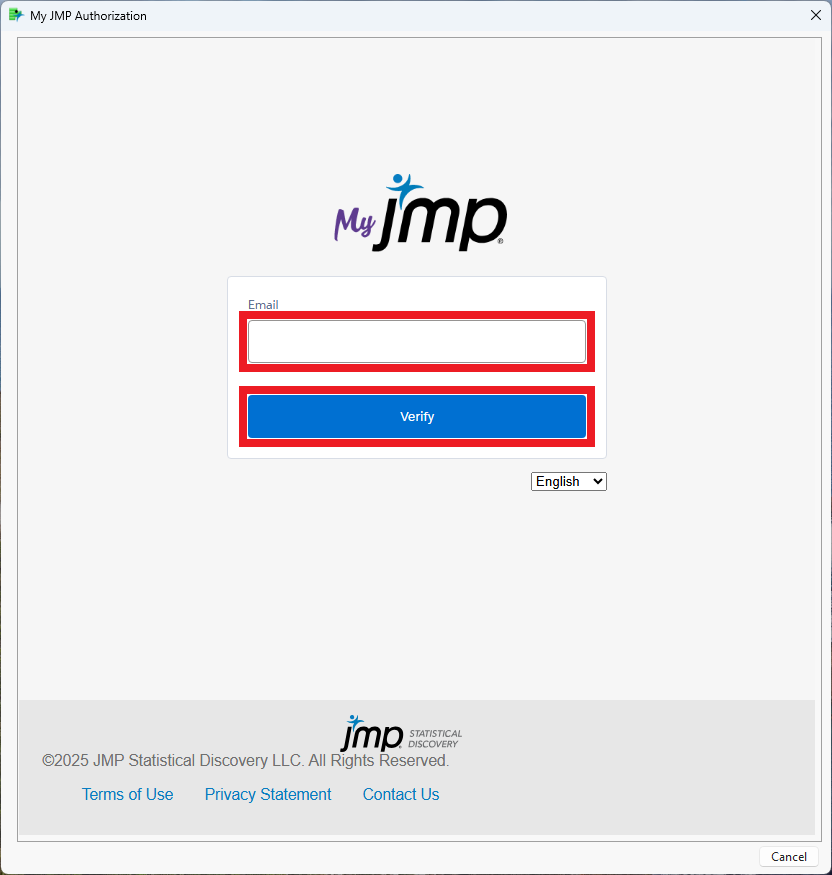 | 4. Sign in JMP: * Enter your @siu.edu email address. * Click Verify. |
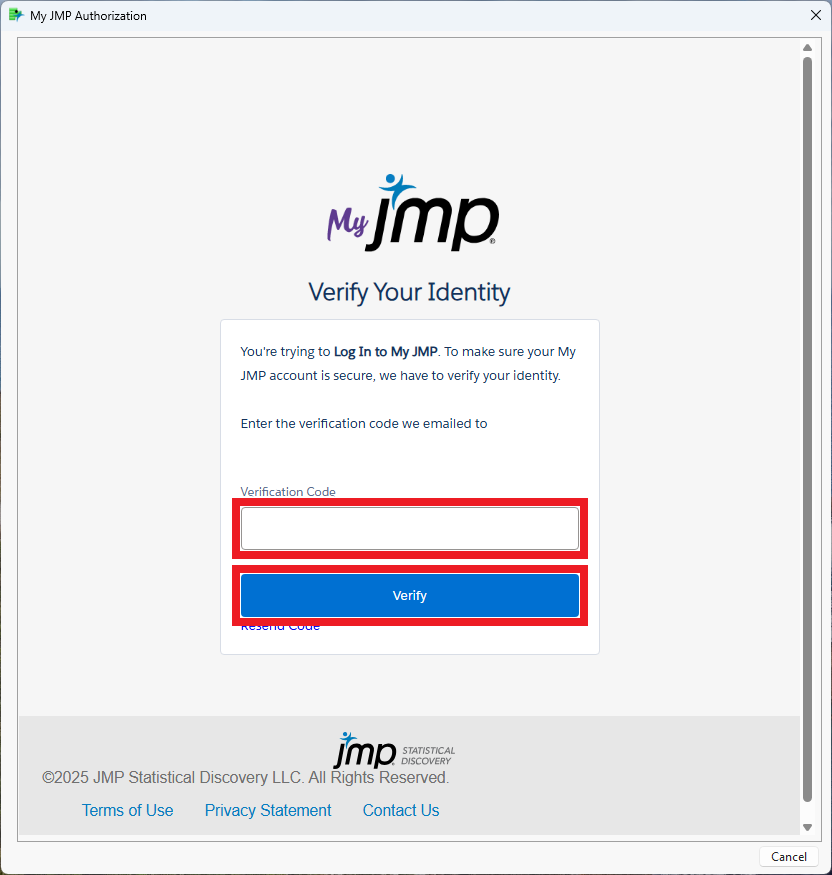 | 5. Verify Your Identity: * Enter the verification code. * Click Verify. |
| 6. JMP Technical Support: * For JMP technical support, contact support@jmp.com. |
Frequently Asked Questions (FAQ)
Where do I get answers to common questions about JMP Student Edition?
* JMP Student Edition – FAQ
Where do I learn more about JMP?
* JMP Learning Library
Where do I get JMP technical support?
* For JMP technical support, contact support@jmp.com.