
Browse Our Knowledge Base
Sign in Adobe Firefly
Overview
Adobe Creative Cloud includes access to Adobe Firefly generative AI features.
How to Sign In
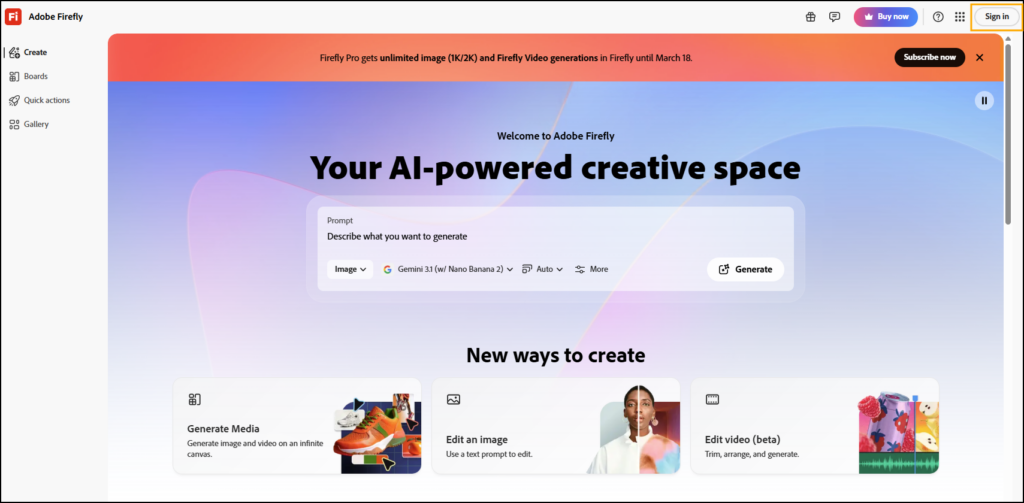
1. In your browser, go to the Adobe Firefly website.
2. Click Sign In.
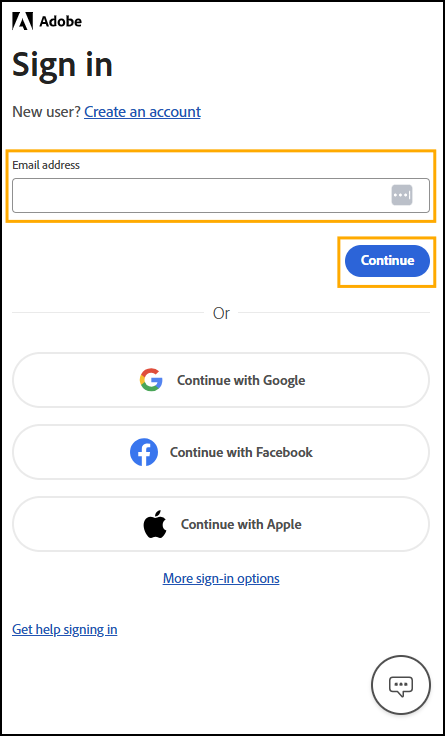
3. Enter your SIU email address and click Continue.
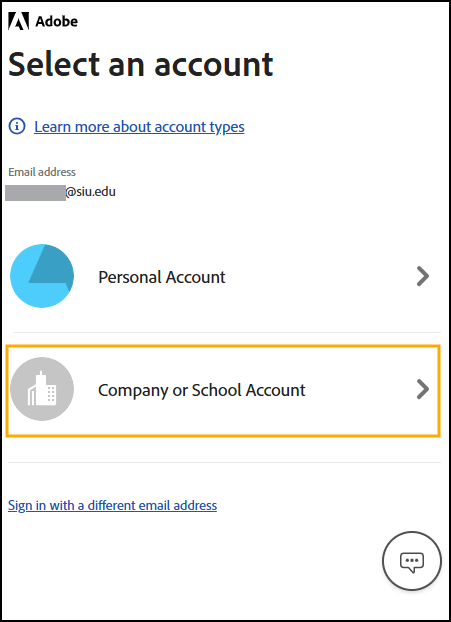
4. If prompted, select Company Account.
5. If prompted, enter your SIU password.
6. Once signed in, you will be redirected to the Adobe Firefly homepage.
Additional Information
If you would like to learn more about the Adobe Creative Cloud apps, LinkedIn Learning has a wide variety of tutorials. Whether you are a beginner looking for a Creative Cloud Crash Course or an advanced user wanting tips for refining your creative processes, there is something for everyone. Simply login with your SIU email address and password to access this free resource.