Browse Our Knowledge Base
Connecting to Eduroam with Apple Iphone or Ipad
Manual Setup
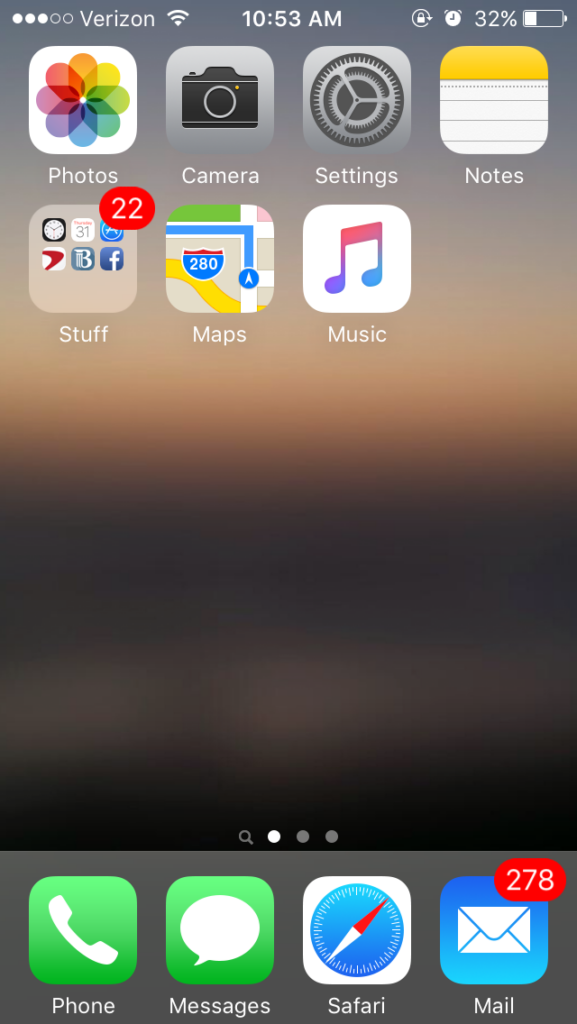
1. Find the settings App and click it.
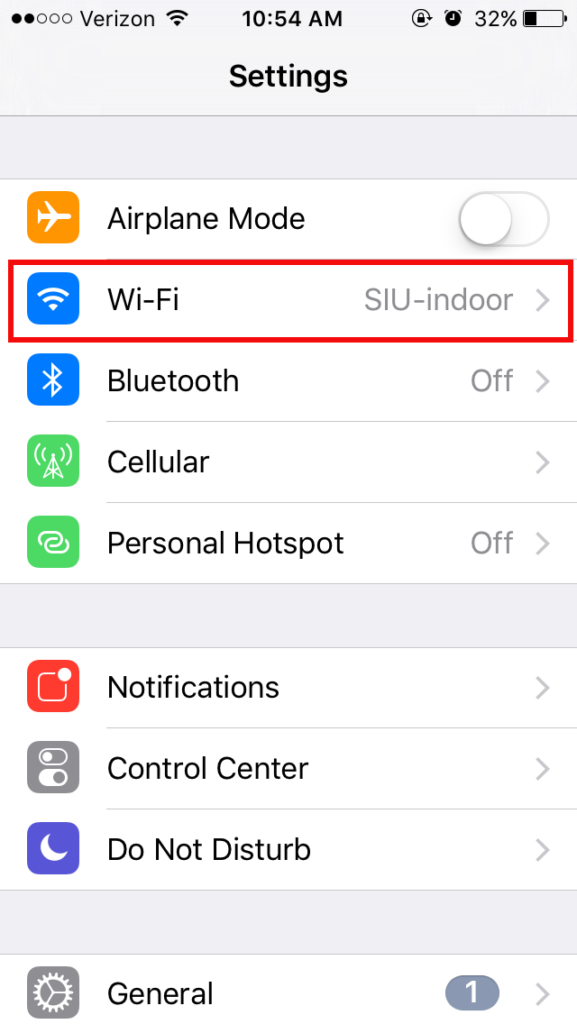
2. Click Wi-Fi
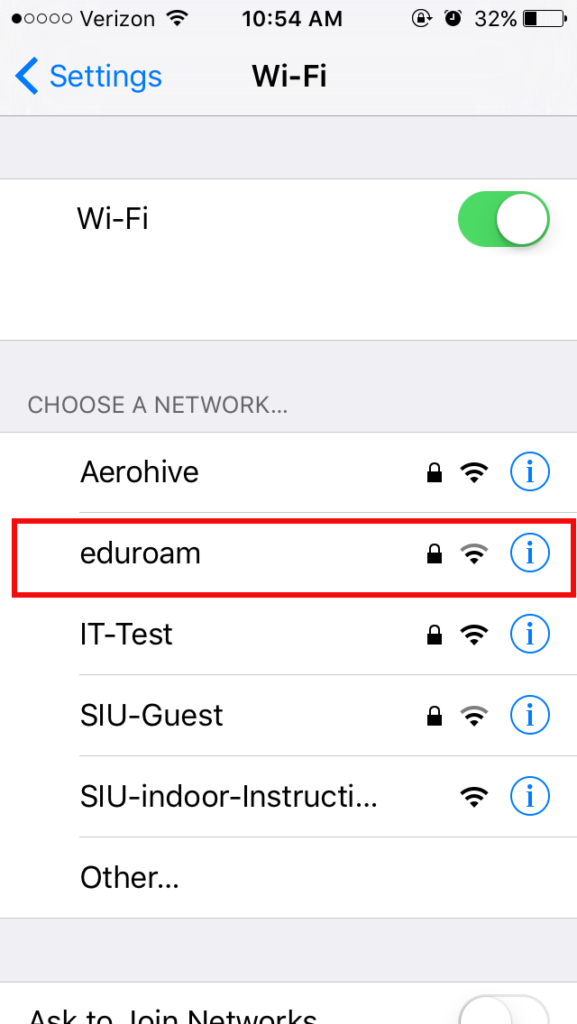
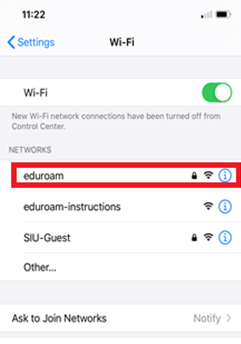
3. Find eduroam and click on it
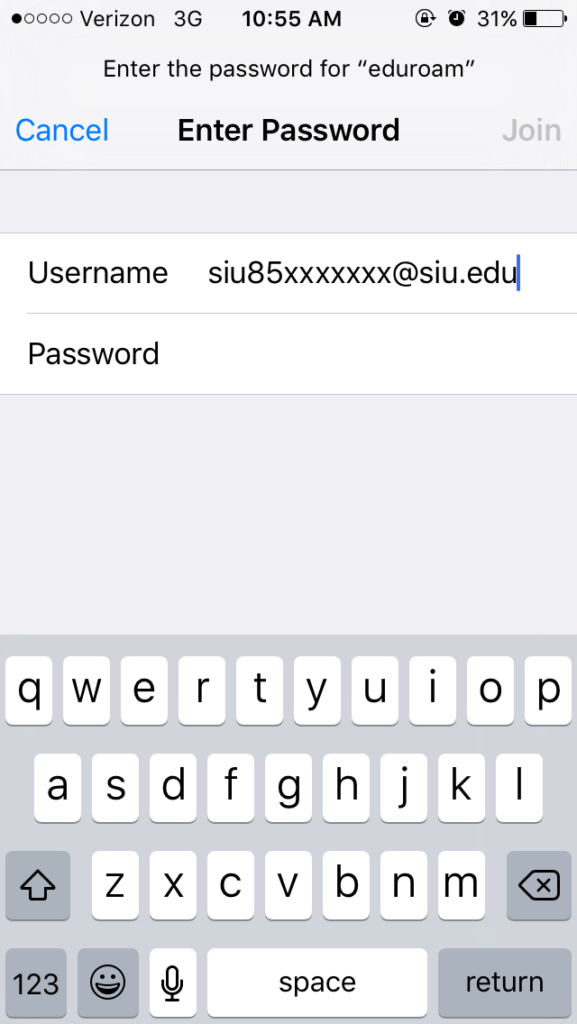
4. Enter your SIU credentials. Ensure your username is followed by @siu.edu. (eg. siu85xxxxxxx@siu.edu)
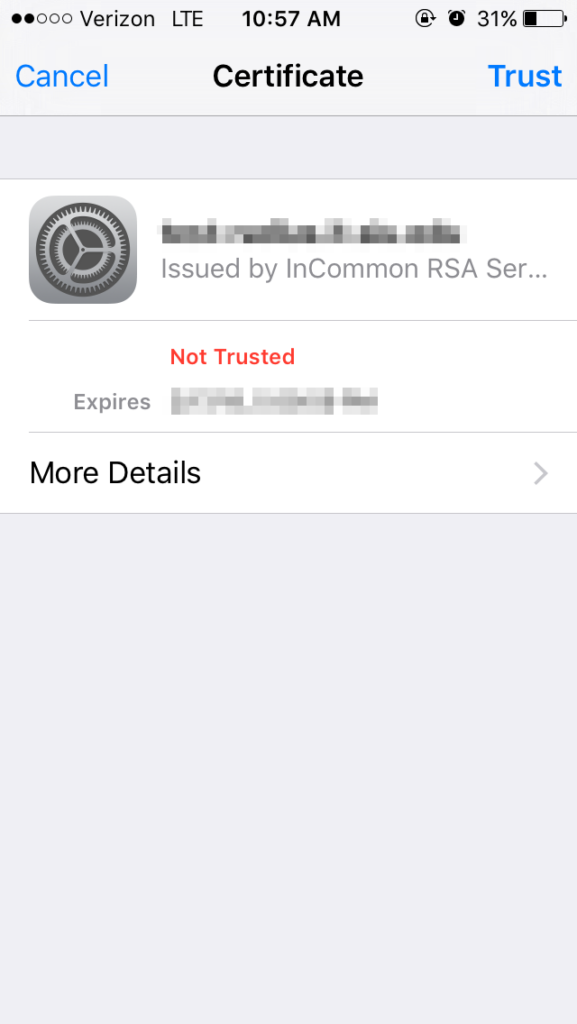
5. When the Certificate screen appears, Click Trust in the upper right hand corner.
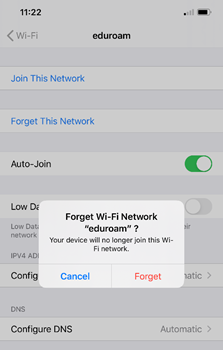
Forgetting the Network
- Open settings, choose Wi-Fi and tap on the blue “i” to the right of eduroam.
2. Tap on Forget This Network and Tap on Forget.