Browse Our Knowledge Base
How to Take Quizzes in D2L
This Quick Guide will help you learn how to take Quizzes in D2L
Step 1
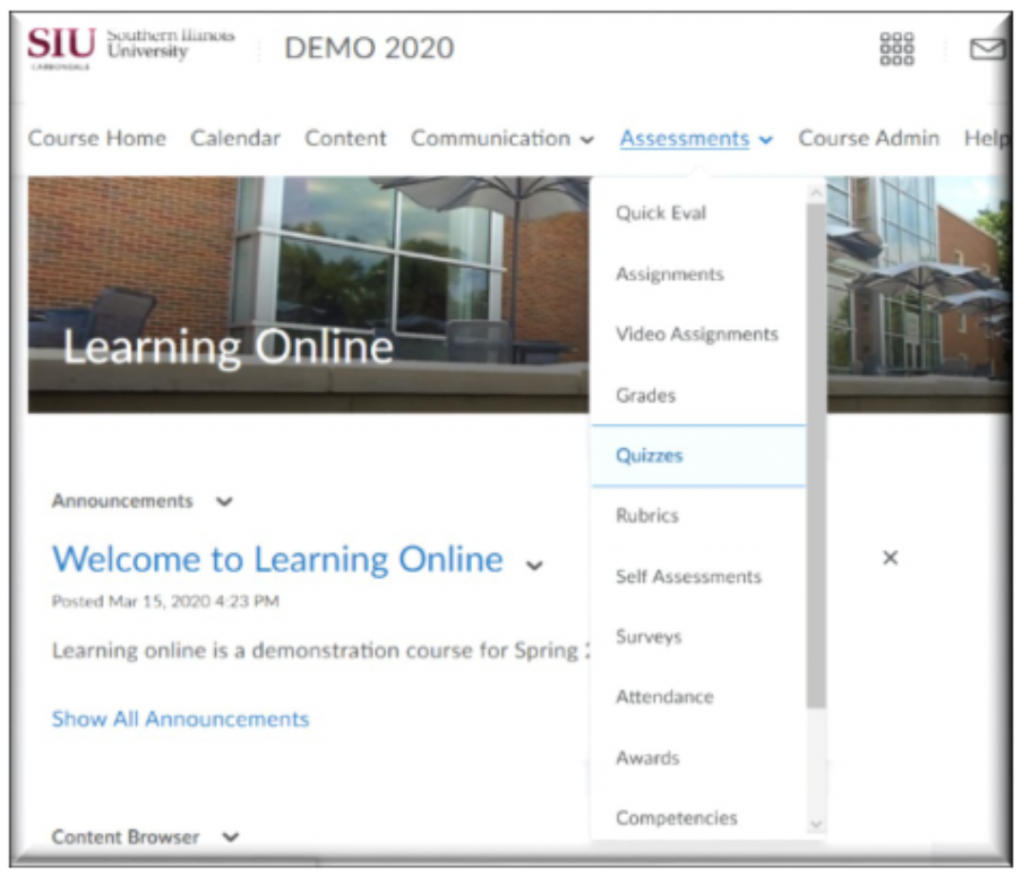
On your Course Homepage:
•Click Assessments,
•then click Quizzes
Step 2
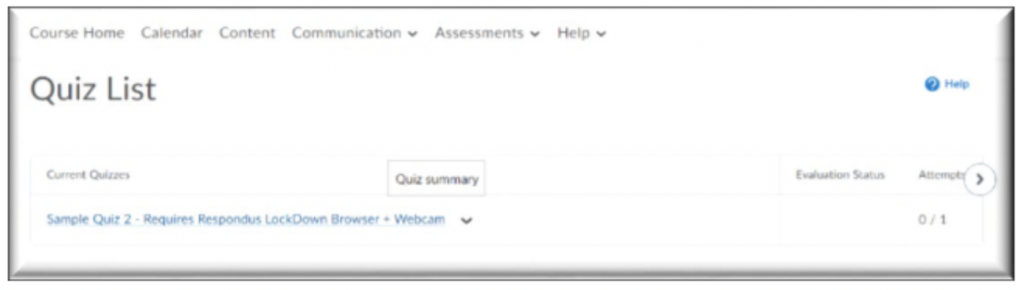
In Quizzes:
•Click on the quiz name
Step 3
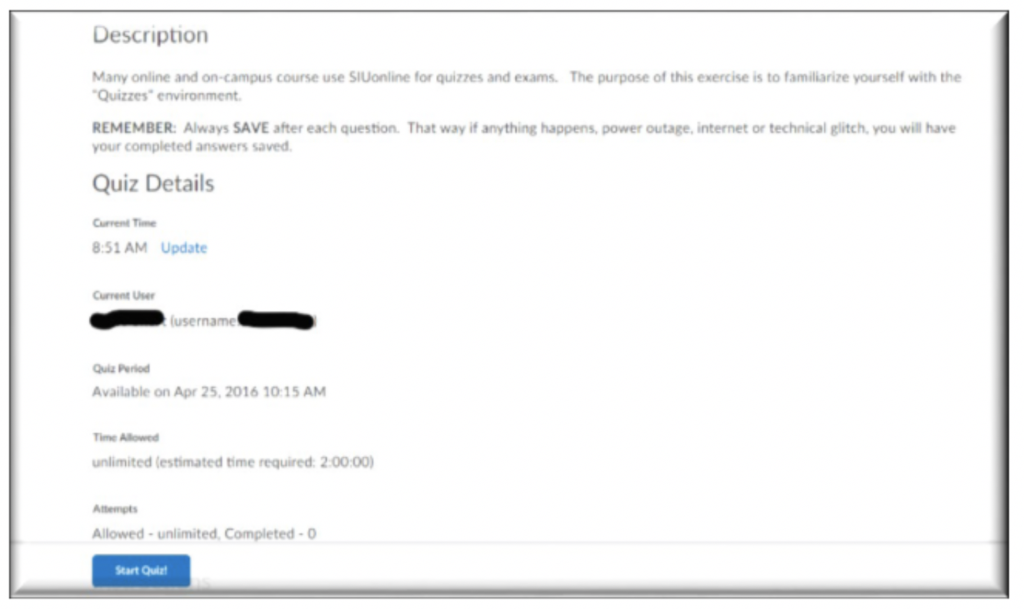
Read Quiz Details:
•Check for Time Allowed
•Check for # of Attempts Allowed
•Click START QUIZ
Step 3
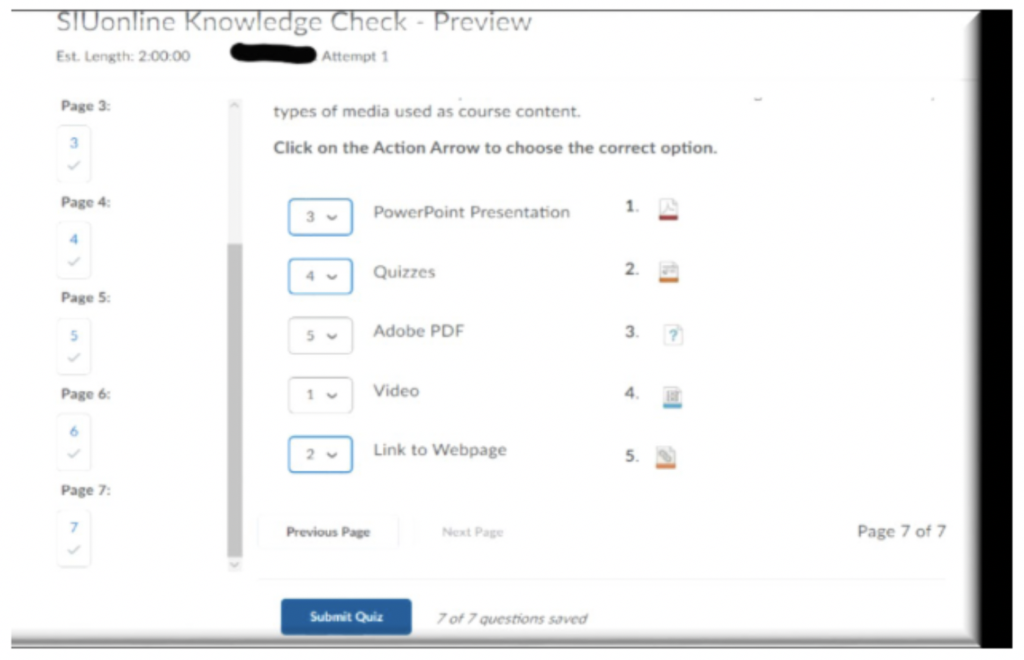
Click Submit Quiz upon completion