
Browse Our Knowledge Base
How to Get Started with Virtual Classrooms in D2L
This Quick Guide will help you learn How to Get Started with Virtual Classrooms in D2L.
Step 1
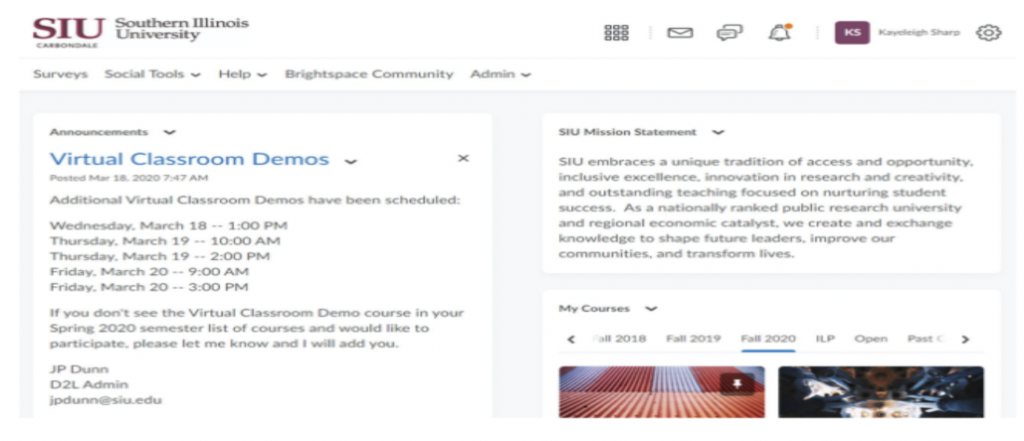
- Login to Salukinet or use the My Courses link directly the main siu.edu webpage and find your course in D2L
Step 2
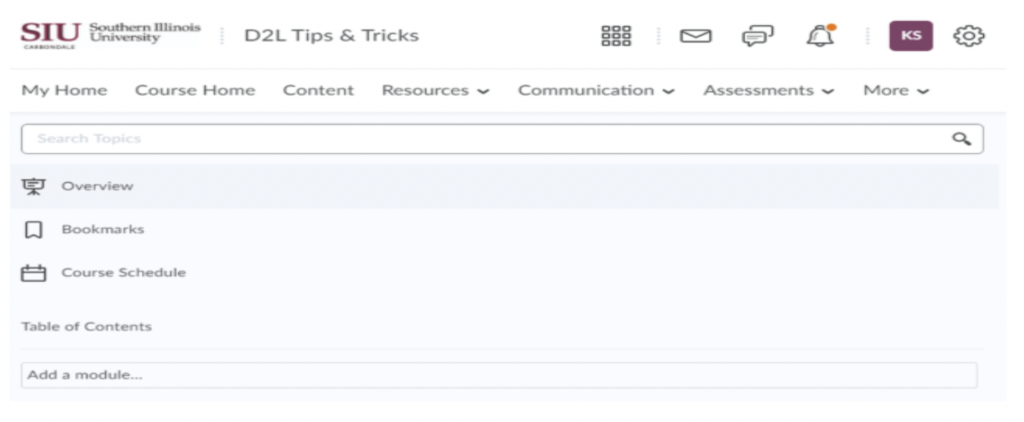
Click or tap on Content on the main navigation bar.
Step 3
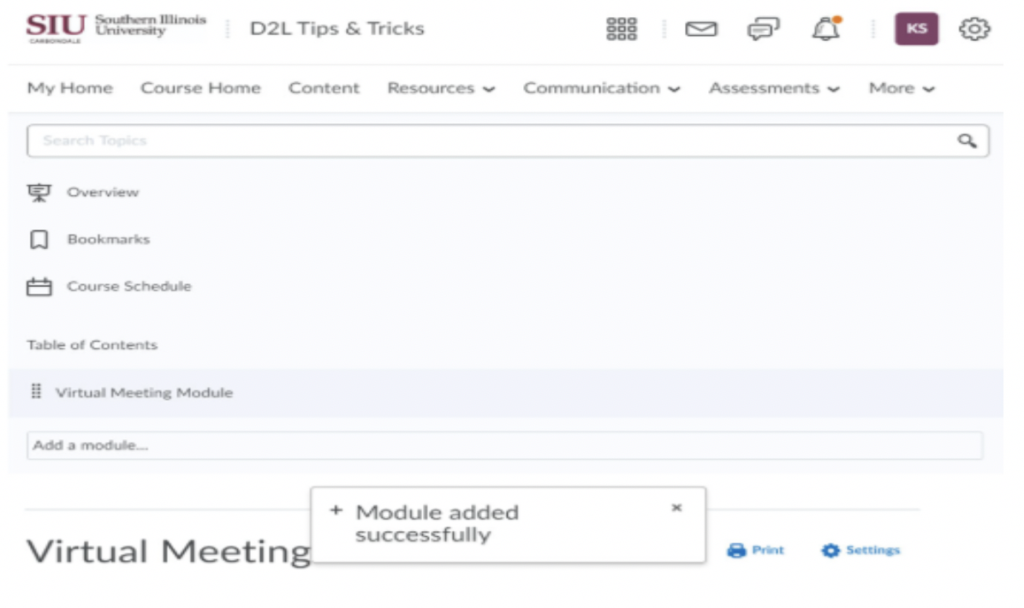
- Add a Module to your course content
Step 4
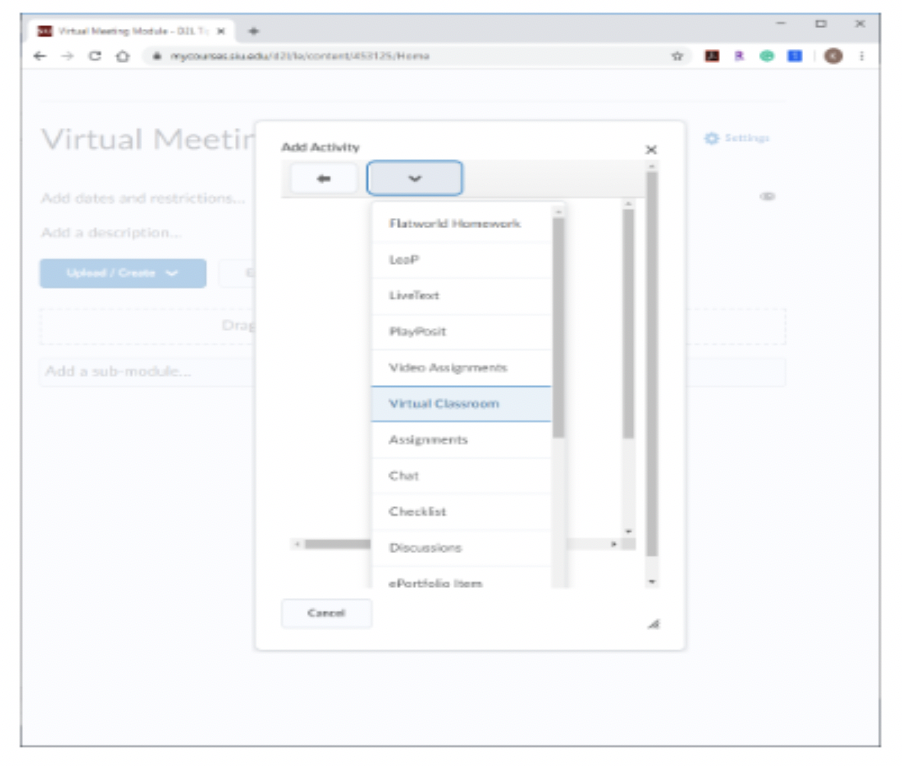
- Click or tap on the new module, and select Existing Activities > Virtual Classroom
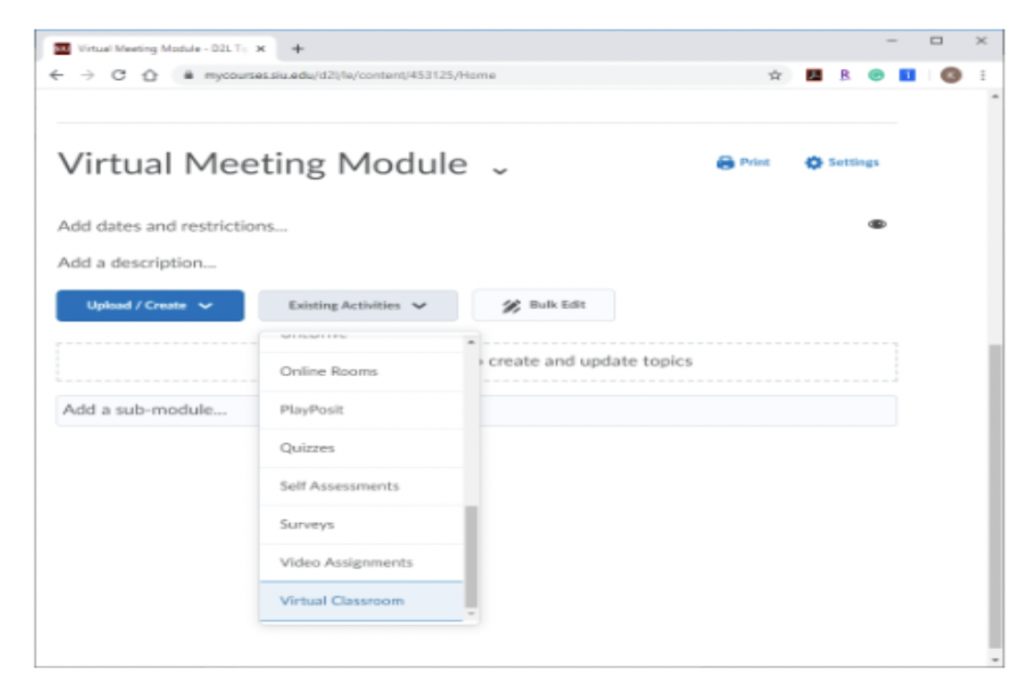
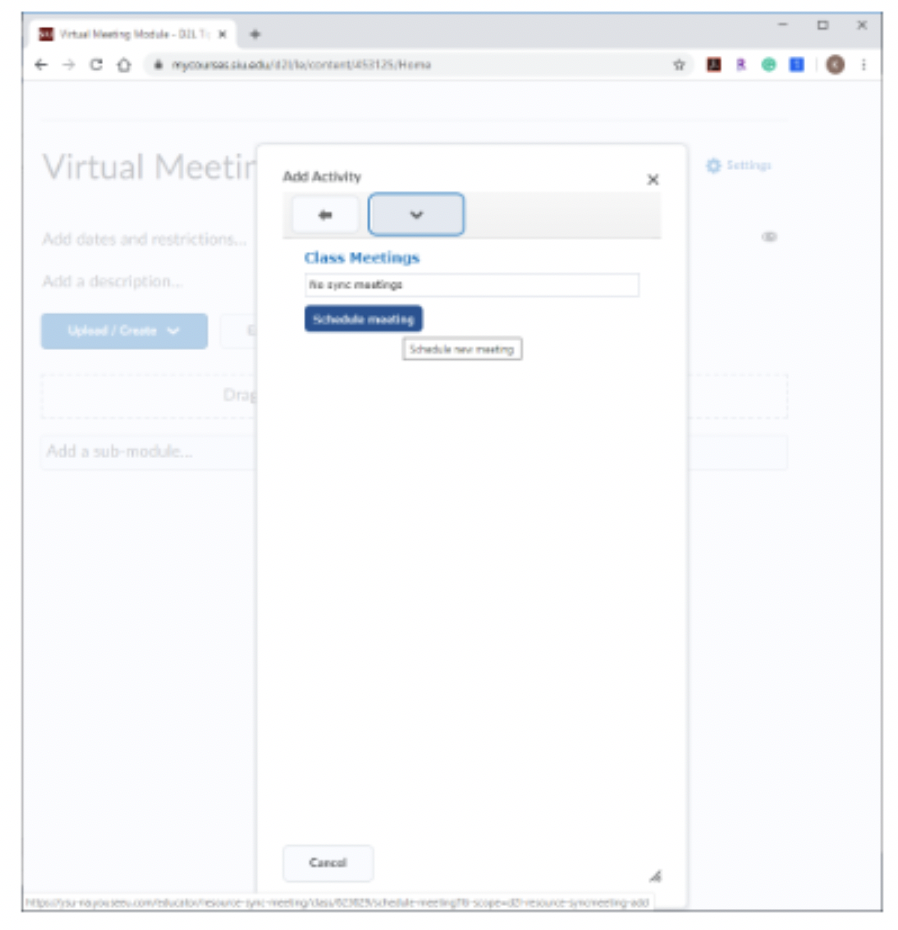
- Add a meeting with personalized criteria from the Add Activity drop-down menu, select Virtual Classroom, and tap Schedule meeting button.
Step 6
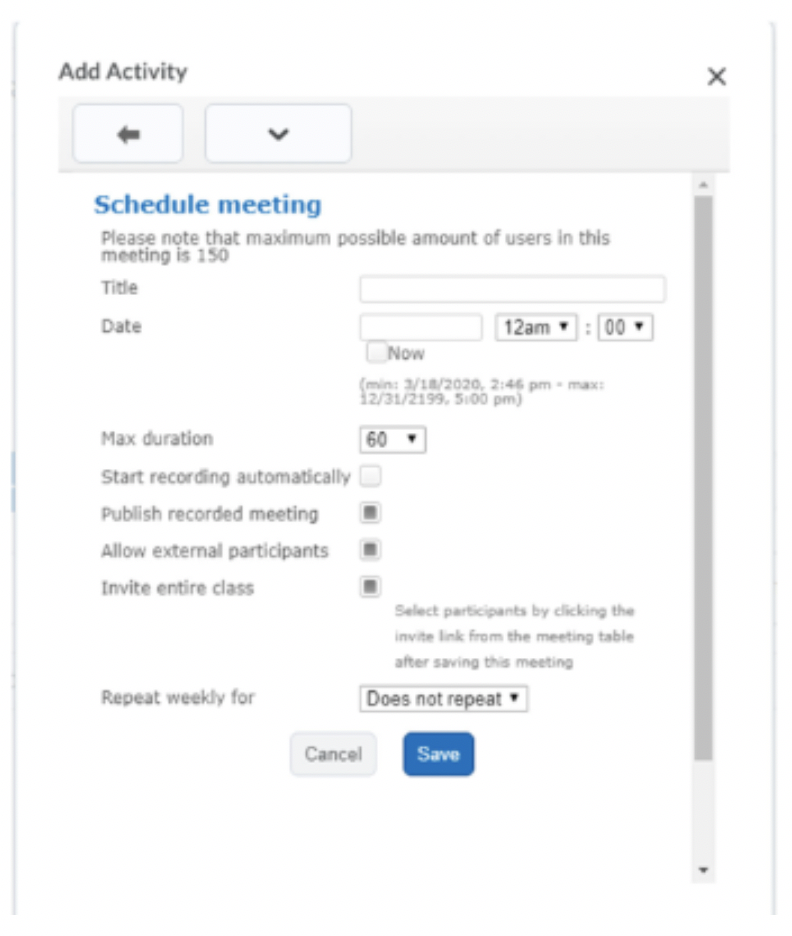
- Customize your meeting time, duration and participants and repetition.
Virtual Classroom Video Assignments
https://bongolearn.zendesk.com/hc/en-us/categories/115000500494-Learners-Video-Assignments
Bongo AI Coach
https://bongolearn.zendesk.com/hc/en-us/articles/16776003222811-Using-Bongo-s-AI-Coach
https://bongolearn.zendesk.com/hc/en-us/articles/16547543836059-Bongo-AI-Coach-FAQ