Browse Our Knowledge Base
How to Email Instructor and Classmates in D2L
This Quick Guide will help you learn How to Email Instructor and Classmates in D2L.
Step 1
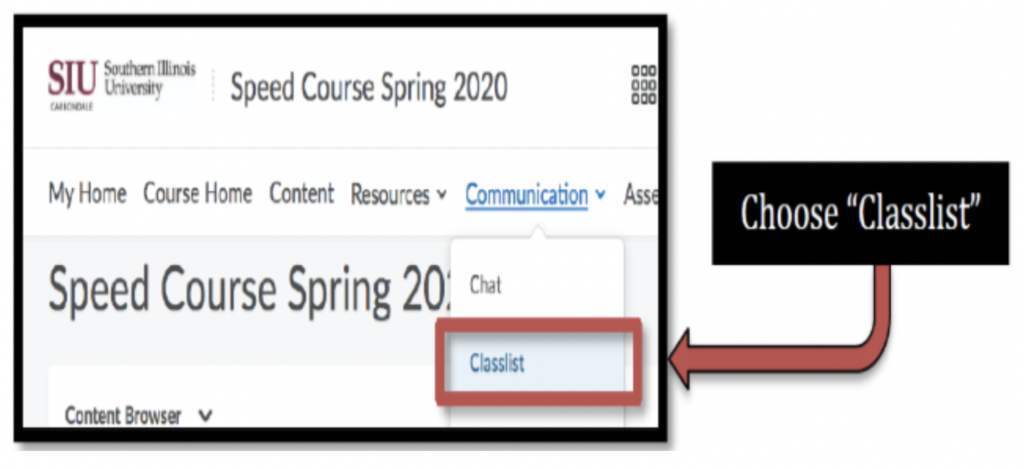
- After logging into in your course, select Class list from the Communication drop-downmenu in the main navigation bar.
Step 2
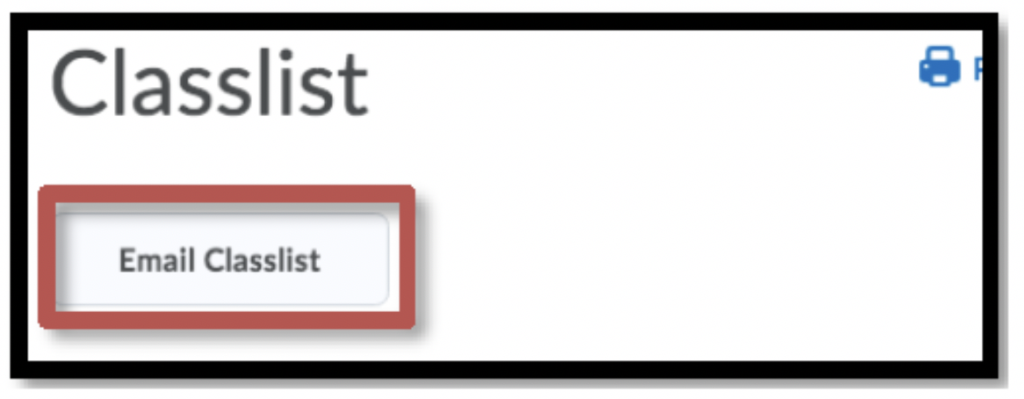
From the Class list page, you have several options to email All participants or a specific group of participants (Instructor, Students or Teaching Assistants by clicking on the Email Class list link at the top of the page.
Step 3
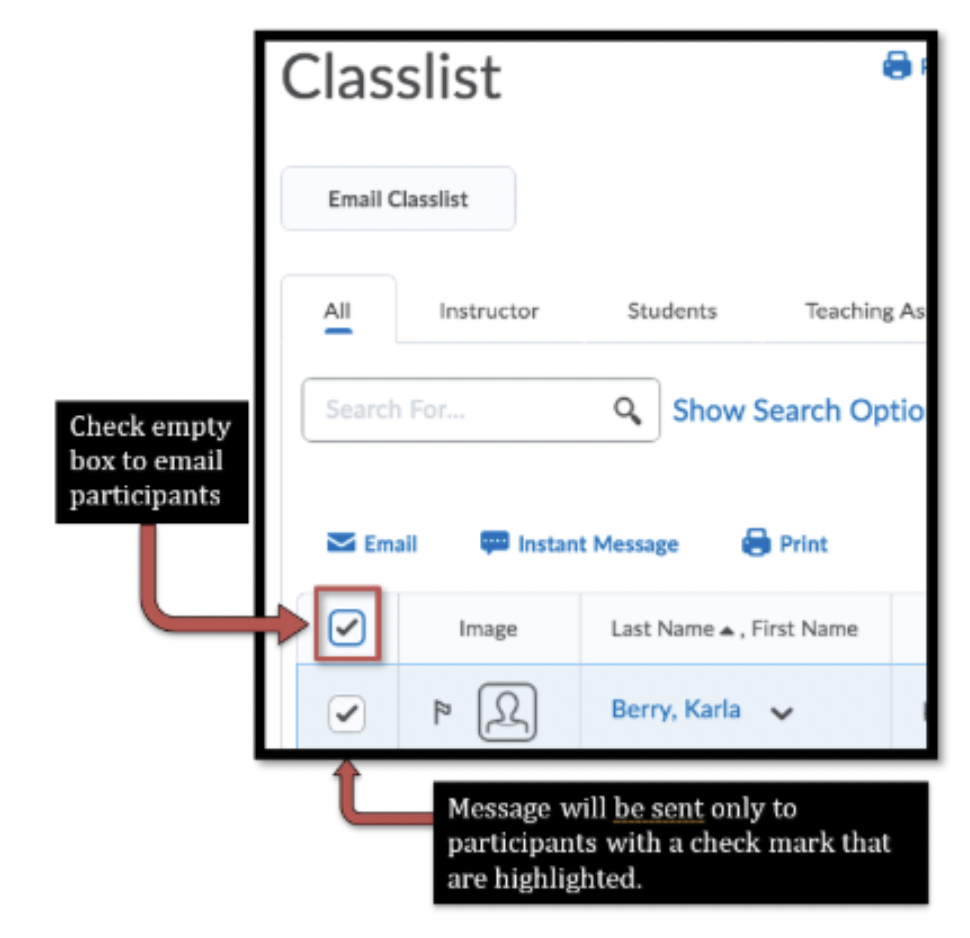
- Alternatively, you email individual participants by checking the empty box next to their Image. Participants are categorized by role (e.g., Instructor, Student or Teaching Assistant).