
Browse Our Knowledge Base
Force Microsoft Edge to Open a PDF Externally
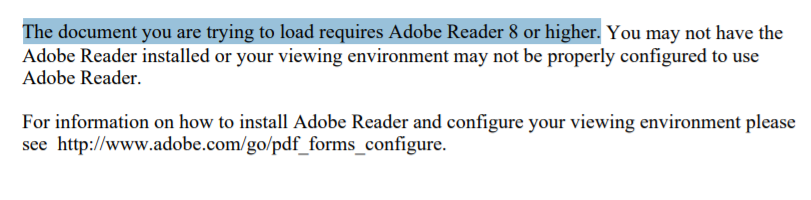
Fixing the “document you are trying to load requires Adobe Reader 8 or higher” error trying to use the https://eforms.siu.edu/ site when using Microsoft Edge.
If you get the following error accessing this site
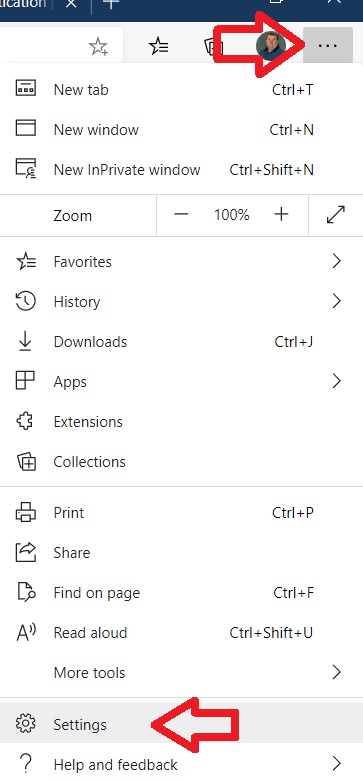
On the right-hand side click on the three dots and then click on “Settings”
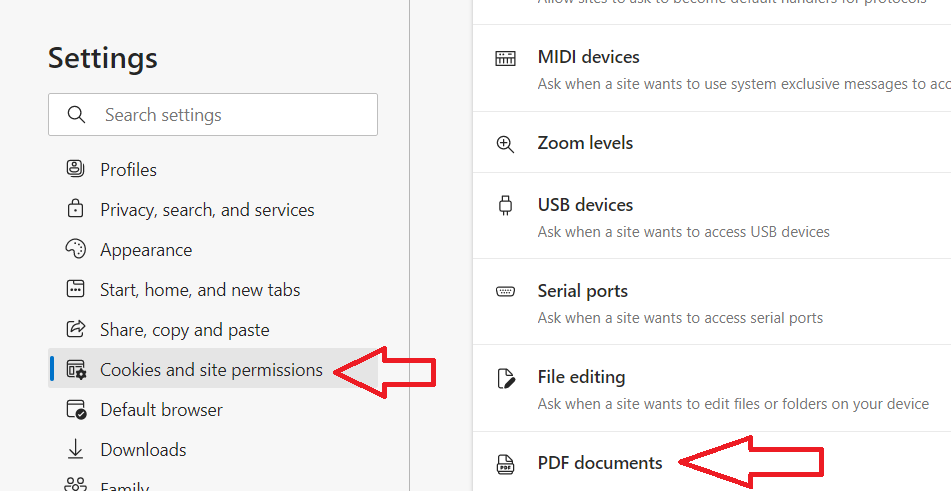
Click on “Cookies and site permissions” scroll down to and then click on “PDF documents”
Click the slide to the right of “Always download PDF files” and slide it to turn it blue.
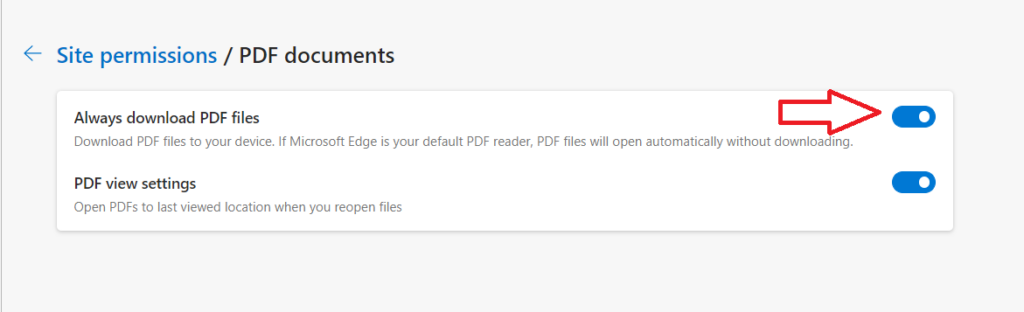
Now Edge will automatically download PDF files instead of opening them.
.